


If your team loses even half a day to a server issue, a failed backup, or a phishing email, the cost is rarely just technical. It shows up in missed appointments, delayed invoices, frustrated staff, and customers who expect you to be available. That is where managed services start to make sense – not as a buzzword, but as a practical way to keep business technology stable, secure, and supported.
For many small and mid-sized businesses, IT problems are not constant, but they are disruptive when they happen. A law office cannot afford to lose access to documents. A dental clinic cannot have unreliable workstations at the front desk. A construction company still needs dependable email, file access, and phone systems even when teams are spread across job sites. Managed services are designed for exactly this kind of environment, where technology has to work every day, but hiring and managing a full internal IT department is not realistic.
What managed services actually mean
At the simplest level, managed services mean outsourcing ongoing IT support and maintenance to a dedicated provider. Instead of calling for help only after something breaks, you have a partner actively monitoring systems, handling updates, managing security, supporting users, and helping you plan ahead.
That shift from reactive to proactive support is the real difference. Break-fix IT waits for the problem. Managed services work to reduce the chance of the problem happening in the first place.
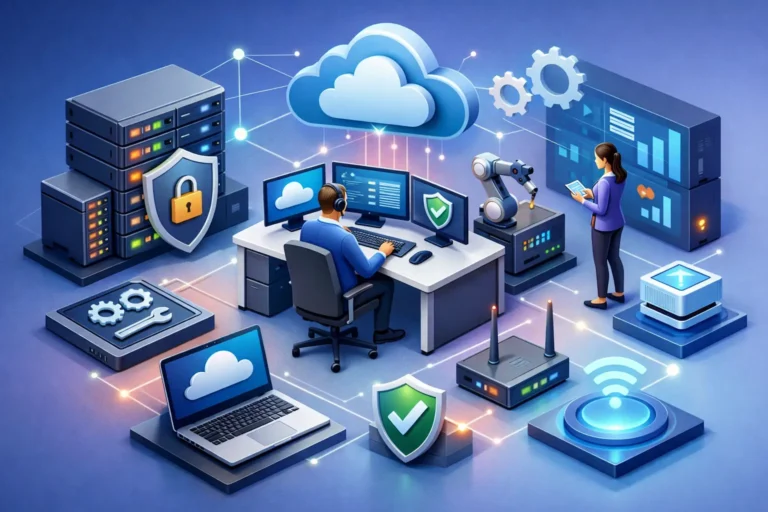
In practice, that can include monitoring computers and servers, patching software, checking backups, managing antivirus and ransomware protection, helping with network performance, supporting Microsoft 365 or similar platforms, and responding when users need assistance. Depending on the provider and the business, it can also include strategic guidance, cybersecurity awareness, cloud planning, procurement advice, and support for phones or line-of-business applications.
Why businesses choose managed services
Most organizations do not buy managed services because they want more technology. They buy them because they want fewer interruptions.
A good managed IT relationship gives business owners and managers more predictability. Instead of wondering when the next outage will happen or whether anyone noticed a failed backup, they have a team responsible for watching the environment and responding early. That matters in any office, but it is especially important in professional practices and service businesses where every hour of downtime affects revenue and client trust.
Security is another major reason. Small businesses are common targets for phishing, ransomware, account compromise, and data loss because attackers know many organizations do not have strong internal controls. Managed services can improve that position by putting security tools, policies, monitoring, and practical guidance in place. That does not eliminate risk – nothing does – but it can reduce exposure and improve recovery when something goes wrong.
Cost control also plays a role. Building an internal IT department is expensive, and for many companies it is unnecessary. Managed services give access to broader expertise without the overhead of recruiting, training, and retaining multiple specialists. The trade-off is that you are sharing your provider’s time and structure rather than having staff dedicated only to your business. For many small and mid-sized organizations, that is still the more sensible option.
What a managed services provider should handle
The best providers do more than answer tickets. They create a support structure that keeps daily operations moving.
That usually starts with endpoint management. Computers need updates, health checks, malware protection, and consistent configuration. Left unmanaged, even a small office can end up with aging devices, missed patches, and users working around recurring issues instead of fixing them properly.
Backup and recovery are just as important. Many businesses assume they are backed up until they need to restore something. A managed services provider should not just set up backups. They should monitor them, verify them, and make sure there is a realistic recovery plan. Backup is not the same as business continuity, and that distinction matters. Restoring a file is one thing. Recovering a whole office after ransomware or hardware failure is another.
Network support is another core function. Slow connections, unstable Wi-Fi, firewall issues, and poor device segmentation can all affect operations and security. In smaller organizations, networking often gets ignored until the internet drops or remote access stops working. Ongoing support helps prevent that pattern.
User support is where the relationship becomes most visible. Staff need quick answers when email stops syncing, printers fail, passwords lock them out, or a suspicious attachment lands in their inbox. Technical knowledge matters, but so does responsiveness. Businesses remember how support feels when they need help under pressure.
Managed services and cybersecurity
Cybersecurity deserves separate attention because it is often the reason businesses start looking for outside IT help in the first place.
A managed services approach can strengthen security in several ways. It can help standardize devices, apply software patches faster, add endpoint detection tools, improve password practices, monitor for suspicious activity, and support secure backups. It can also reduce one of the biggest risks in many businesses – inconsistency. When every workstation is configured differently and employees make their own technology decisions, security gaps multiply.
Still, cybersecurity is an area where honest expectations matter. Managed services are not a guarantee against cyber incidents. Even well-protected organizations can be targeted. What matters is reducing the likelihood of an attack succeeding and limiting damage if one does.
That is why the strongest providers look beyond software alone. They help clients think about user behavior, access control, email security, vendor risk, and recovery planning. A phishing-resistant business is usually not the one with the most tools. It is the one with the fewest blind spots.
Is managed services right for every business?
Not always. Some larger organizations need a fully staffed internal IT team because of scale, compliance demands, specialized systems, or around-the-clock operations. Others may need a hybrid model where an internal employee handles day-to-day coordination while an outside provider delivers monitoring, security, escalation support, and strategic guidance.
For many local businesses, though, managed services are a strong fit. If your office depends on stable computers, internet access, files, phones, and secure communication, you do not need enterprise complexity. You need consistency. You need someone paying attention before a small issue becomes a costly one.
That is especially true for businesses in fields like healthcare, legal services, dental care, automotive service, and construction. These environments often rely on a mix of office systems, specialized applications, mobile devices, and constant communication with clients or patients. Technology problems do not stay in the background for long. They quickly become operational problems.
How to evaluate managed services providers
When comparing providers, it helps to look past the sales language and focus on how support is actually delivered. Ask what is monitored, how quickly issues are addressed, what security layers are included, and what happens during an emergency. Find out whether backup checks are routine, whether documentation is maintained, and whether strategic planning is part of the relationship or treated as extra.
It is also worth paying attention to fit. Some providers are built for volume and standardization. Others offer a more personal approach with direct communication and tailored recommendations. Neither model is automatically wrong, but the right choice depends on your business. If you want a long-term partner who understands how your office works, responsiveness and relationship quality matter just as much as technical scope.
This is where a company like RA IT Support stands apart for many organizations. Hands-on service, practical recommendations, and a clear focus on reliability can be more valuable than a long list of features that never translate into better day-to-day operations.
The real value of managed services
The real value is not that someone else handles your IT. It is that your business can operate with fewer disruptions, clearer accountability, and stronger protection.
When managed services are done well, staff spend less time fighting technology and more time doing their jobs. Leadership has a better sense of risk. Problems get caught earlier. Decisions about upgrades, security, and growth become easier because they are based on guidance instead of guesswork.
That does not mean every issue disappears or every environment becomes simple overnight. Technology still requires attention, and every business has its own priorities, budget limits, and risk tolerance. But with the right support model, IT stops being a recurring source of uncertainty.
For most businesses, that is the point. You are not looking for more systems to manage. You are looking for confidence that the systems you already depend on will be there when your team needs them most.
