



Most businesses do not realize how many small IT problems build up before anything actually breaks. A workstation starts running hot. A server drive begins to fail. Backups stop completing overnight. Security patches sit uninstalled for weeks. Remote monitoring and management is designed to catch those issues early, before they turn into downtime, lost productivity, or expensive recovery work.
For small and mid-sized businesses, that shift from reactive support to proactive oversight makes a real difference. If your team depends on computers, cloud apps, phones, printers, Wi-Fi, and shared files to do business every day, waiting for something to fail is not a practical IT strategy. You need visibility into what is happening across your systems, and you need a process for fixing problems before they interrupt work.
What remote monitoring and management actually means
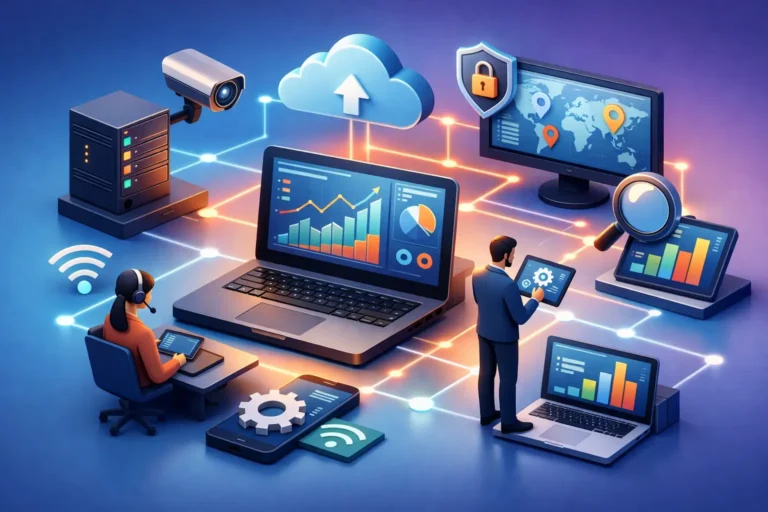
Remote monitoring and management, often called RMM, is a way for IT professionals to watch over computers, servers, networks, and other connected systems from a central platform. That platform collects information about device health, performance, security status, updates, storage capacity, and other operational details.
Monitoring is the visibility side of the equation. It tells your IT provider when something looks wrong or is heading in the wrong direction. Management is the action side. It includes applying updates, responding to alerts, adjusting settings, investigating unusual behavior, and maintaining systems without needing to be physically present for every task.
That does not mean every issue can or should be handled remotely. Hardware failures, cabling problems, office moves, and certain network issues still require hands-on service. But remote monitoring and management dramatically reduces the number of problems that have to reach that point.
Why remote monitoring and management matters for small businesses
Large enterprises often have internal IT teams dedicated to system health, security, and maintenance. Most smaller organizations do not. They are busy serving clients, managing staff, and keeping operations moving. IT often becomes something people only think about when it stops working.
That approach gets expensive fast. Downtime does not just affect one machine. It can delay appointments, interrupt billing, stop access to files, slow communication, and leave employees idle. In a law office, that may mean lost access to case documents. In a dental practice, it may affect scheduling and patient records. In a construction company, it can interfere with estimates, job updates, and communication between office and field teams.
Remote oversight helps reduce those interruptions because it creates a consistent routine around maintenance. Systems are checked regularly. Warning signs are flagged early. Updates are deployed in a more controlled way. Backups and antivirus tools can be monitored instead of assumed to be working.
The result is not perfect uptime. No honest IT provider should promise that. Technology still fails, internet providers still have outages, and new threats still emerge. What RMM does provide is a much better chance of catching common issues before they become disruptive.
The business problems it helps solve
The biggest value of remote monitoring and management is that it addresses everyday operational risk. That includes the kinds of issues that rarely make headlines but create constant friction inside a business.
One common example is patching. Many businesses know updates matter, but updates are often delayed because people are busy or worried that something will break. That concern is not unreasonable. Poorly timed updates can interrupt work, and some updates need testing or staged deployment. Still, leaving systems unpatched creates security and stability problems. With the right process, updates can be scheduled, monitored, and addressed in a more controlled way.
Another example is failing hardware. Hard drives, power supplies, and memory issues often show warning signs before complete failure. Monitoring tools can detect temperature changes, disk errors, or performance drops that suggest a machine needs attention. Replacing a device on a planned schedule is far easier than recovering from a sudden crash.
RMM also supports visibility around security tools. Antivirus running on a device is not enough if nobody knows when it has been disabled, outdated, or unable to scan properly. Monitoring helps verify that protective tools are active and functioning as expected.
Then there is backup oversight. Many businesses assume they are backed up until they need to restore a file or recover from a system issue. That is often when they discover a backup has been failing for days or weeks. Monitoring backup success rates and storage status adds an extra layer of protection.
Where remote monitoring and management fits into cybersecurity
RMM is not the same thing as cybersecurity, but it plays an important supporting role. It helps create the consistency that good security depends on.
Cybersecurity is strongest when systems are updated, suspicious activity is reviewed, protective software is active, and devices are inventoried and managed. Those are all areas where remote monitoring helps. If an endpoint falls behind on patches, if a machine goes offline unexpectedly, or if a security agent stops reporting, that should not go unnoticed.
There is a trade-off here, though. RMM tools are powerful, and that means they need to be managed carefully. Any provider using them should follow strong internal security practices, apply access controls, and protect remote tools as seriously as the systems they support. A poorly managed remote access platform can create risk instead of reducing it.
That is why the quality of the provider matters as much as the tool itself. Good remote support is not just software running in the background. It is a disciplined service backed by real review, response, and accountability.
What to expect from a well-managed RMM service
A good RMM service should feel practical, not mysterious. You should understand what is being monitored, what kinds of actions are taken automatically, and when a technician gets involved.
In most environments, that means watching device health, storage thresholds, patch status, antivirus reporting, backup alerts, and critical system events. It may also include software deployment, performance checks, and routine maintenance tasks that improve reliability over time.
Just as important is how alerts are handled. Too many notifications can be almost as bad as none at all. If every minor event creates noise, real problems may be missed. Effective monitoring depends on useful thresholds, thoughtful tuning, and human review.
Communication matters too. Clients should not feel like issues are being handled inside a black box. If a recurring problem shows up on several machines, or a server is approaching a storage limit, that should lead to a conversation about next steps. The goal is not only to fix immediate issues but to help clients make better long-term decisions.
Is remote monitoring and management enough on its own?
Usually not. It is a core part of managed IT support, but it works best alongside other services. Monitoring can tell you a backup failed, but you still need a backup strategy worth monitoring. It can alert someone to suspicious behavior, but you also need endpoint protection, user awareness, secure access controls, and a plan for incident response.
It also does not replace business planning. If your office depends on one aging server, weak Wi-Fi, or outdated hardware, monitoring may help stretch that environment a little longer, but it will not remove the underlying risk. Sometimes the right answer is maintenance. Sometimes it is replacement. Sometimes it is a broader change in how systems are set up.
That is where an experienced IT partner adds value. The technology should support the way your business actually operates, not force you into tools and processes that do not fit.
When businesses benefit most from remote monitoring and management
The companies that benefit most are usually the ones that cannot afford disruption but do not have internal staff constantly watching over technology. That includes professional offices, service businesses, and growing teams with multiple devices, shared systems, and increasing security expectations.
If your business has ever been surprised by a failed backup, a machine that stopped working without warning, or an update issue that created a day of lost productivity, you have already seen the problem RMM is meant to solve. It brings consistency to IT support and helps reduce avoidable interruptions.
For businesses in Ottawa and the Ottawa Valley, especially those that need both responsive remote help and reliable local support when something requires an on-site visit, that combination can be especially valuable. Tools matter, but so does having a partner who knows your environment and responds when it counts.
Technology runs better when someone is paying attention before users have to complain. That is the real value of remote monitoring and management – fewer surprises, faster response, and more confidence that your systems are being looked after while you focus on running your business.
