



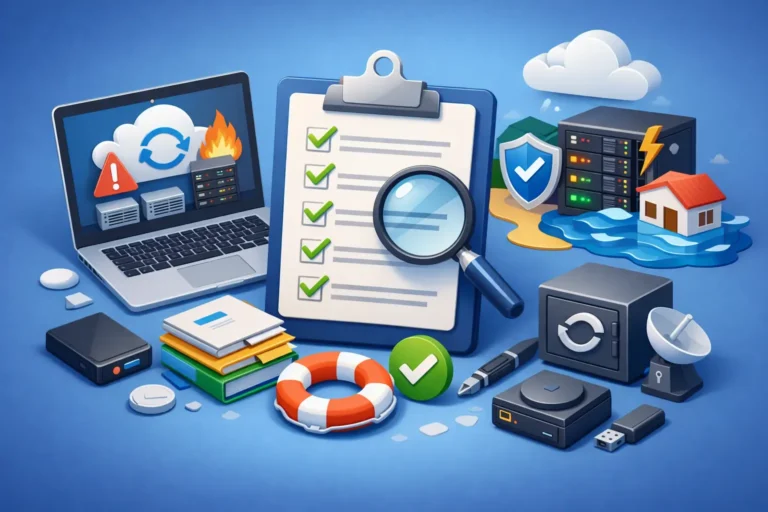
A server outage at 10:15 a.m. feels very different from a planning meeting at 10:15 a.m. When phones stop ringing, files will not open, or a ransomware message appears on screen, the gap between “we have backups” and “we are ready” becomes painfully obvious. A good disaster recovery plan checklist closes that gap by turning good intentions into clear actions your team can actually follow under pressure.
For small and midsized businesses, disaster recovery is rarely about dramatic worst-case scenarios alone. More often, it is about recovering from the incidents that happen in real life – a failed firewall, accidental file deletion, a power event, a cloud account lockout, a bad software update, or an employee clicking the wrong email. The right plan protects revenue, client trust, and your team’s ability to keep working.
What a disaster recovery plan checklist should actually cover
A useful disaster recovery plan checklist is not just a list of equipment or passwords. It should define what matters most, who is responsible, how systems will be restored, and how the business will operate while recovery is underway. If any one of those pieces is missing, recovery gets slower and more expensive.
Start with business priorities. Not every system deserves the same recovery target. A dental office may need practice management software and imaging access restored before anything else. A law office may prioritize document management, email, and secure remote access. A construction company might need scheduling, accounting, and phone systems online first. The checklist should reflect how the business truly runs, not how the network diagram looks.
From there, document the recovery order. This sounds simple, but it is where many plans break down. If internet access depends on a firewall configuration that only one person understands, or if line-of-business software requires a license key nobody can find, the outage lasts longer than it should.
The core sections of a disaster recovery plan checklist
The first section should identify critical systems and acceptable downtime. This is where you define recovery time objective and recovery point objective, even if you do not use those exact terms internally. In plain language, ask two questions: how long can this system be unavailable, and how much data can we afford to lose? For accounting, the answer might be a few hours and almost no lost data. For archived marketing files, the tolerance may be much wider.
The second section should list your recovery team and responsibilities. During an incident, people need roles, not group confusion. Identify who approves shutdowns, who contacts vendors, who handles client communication, who restores backups, and who verifies systems are working. Small businesses often assume one person will do everything. That can work until that person is unavailable, traveling, or dealing with the same emergency.
The third section should cover backup and restoration details. This means more than confirming backups exist. Your checklist should show where backups are stored, how often they run, how they are protected, and how restoration works. If backups are encrypted, who holds the keys? If cloud backups fail silently, how is that detected? If a bare-metal restore takes eight hours, does that align with the business need? Backups are only reassuring when restore testing proves they work.
The fourth section should document infrastructure dependencies. Many recoveries stall because a “small” dependency was overlooked. Internet service, DNS, multi-factor authentication, network switches, virtual hosts, and line-of-business integrations can all affect whether applications come back online. A server may restore successfully, but users still cannot work if identity systems or network paths are broken.
The fifth section should address communications. Staff need to know where updates will come from and what to do if email is down. Clients may need notice if service is interrupted. Vendors may need to be contacted quickly for replacement hardware, internet failover, or software support. Communication planning often feels secondary until the main communication platform is part of the outage.
Your checklist needs more than backups
Many businesses think disaster recovery begins and ends with backup software. Backups matter, but they are only one control in a larger process. A practical plan should also account for cybersecurity events, especially ransomware. If infected systems are restored too quickly without confirming the threat is contained, the business can end up right back where it started.
That is why the checklist should include isolation steps. Who disconnects affected devices? When should remote access be disabled? How do you preserve logs or evidence if needed? Recovery after a cyber incident is not the same as recovery after hardware failure. The order of operations changes, and speed has to be balanced with caution.
There is also a trade-off between recovery speed and recovery cost. High-availability infrastructure, redundant internet, cloud failover, and image-based backups can shorten downtime, but they increase monthly spending. For some businesses, that cost is justified. For others, a well-tested recovery process with realistic timelines is the smarter investment. The right answer depends on what an hour of downtime actually costs your operation.
Common gaps that put recovery at risk
One of the most common problems is outdated documentation. Staff changes, software migrations, and hardware replacements happen gradually, and the recovery plan gets left behind. Six months later, the emergency contact list is wrong, old credentials are archived somewhere nobody can access, and the documented server names no longer match the actual environment.
Another common gap is assuming cloud services do not need disaster recovery planning. Cloud platforms reduce some infrastructure risk, but they do not remove the need for planning. User errors, sync issues, credential compromise, third-party outages, and retention limitations still affect cloud data and business operations. If your team depends on cloud tools, your checklist should still define access recovery, admin recovery, backup coverage, and fallback communication methods.
Testing is the gap that matters most. A plan that has never been tested is closer to a theory than a process. You do not always need a full simulated disaster, but you should test restores, document the time required, and confirm dependencies. Even a quarterly check of backup integrity, key contacts, MFA access, and critical restore steps can reveal issues before they become expensive.
How to build a disaster recovery plan checklist that people will use
Keep the document practical. If the checklist is too technical, too long, or buried in a shared folder nobody can reach during an outage, it will fail when you need it most. Use plain language where possible. Store a secure version in more than one place. Make sure at least a few trusted people know how to access it without relying on the systems that might be down.
It also helps to separate strategic planning from emergency action. Your full disaster recovery documentation can include architecture notes, vendor contracts, and detailed procedures. But the checklist used during an incident should be fast to scan. People under pressure do better with clear sequencing, named responsibilities, and verification steps.
Review the checklist whenever the business changes in a meaningful way. New office locations, new phone systems, new software platforms, cybersecurity policy changes, and shifts to remote or hybrid work all affect recovery planning. A checklist written for your old environment can create false confidence in your current one.
For organizations without an internal IT team, outside support can make a real difference here. A managed IT partner can help identify recovery priorities, reduce single points of failure, test backups, and make sure cybersecurity and continuity planning support each other instead of working separately. That kind of planning is not just for large enterprises. In many cases, smaller businesses feel downtime more sharply because they have fewer workarounds.
A simple standard for judging your plan
If your internet failed, your primary server crashed, or a ransomware event locked several workstations this afternoon, could your team answer three questions quickly: what gets restored first, who is doing what, and how long will it realistically take? If the answer is uncertain, your checklist needs work.
A strong disaster recovery plan checklist does not promise that nothing will go wrong. It gives your business a way to respond calmly, recover in the right order, and protect the people who rely on you. That is what turns IT planning from a document on paper into operational resilience your team can feel when it matters most.
