


When a business calls for IT help only after something breaks, the cost usually shows up in lost time, stressed staff, and problems that spread further than they should. That is why many owners start asking, what is managed services model, and whether it is a better way to handle technology than the old break-fix approach.
What is managed services model?
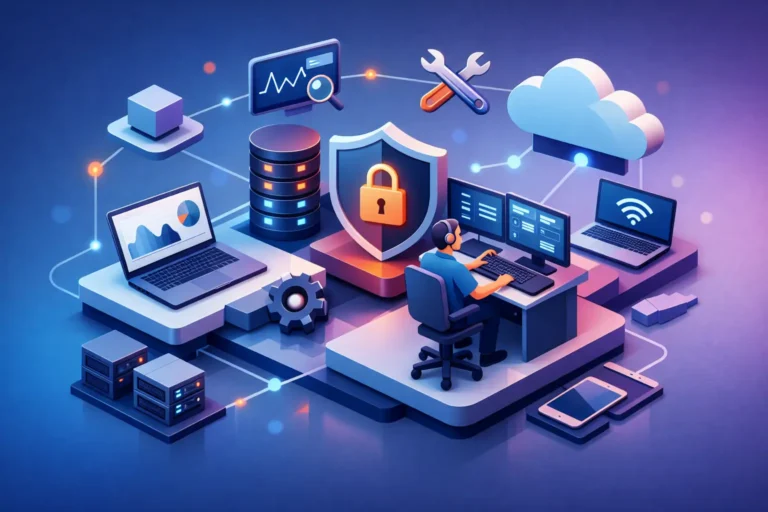
The managed services model is an ongoing IT support arrangement where a provider monitors, maintains, secures, and supports your systems for a predictable monthly fee. Instead of waiting for a server issue, a backup failure, or a security gap to turn into a business disruption, the provider works in the background to prevent problems and respond quickly when issues come up.
At its core, the model shifts IT from reactive to proactive. You are not just paying for repairs. You are paying for oversight, routine maintenance, security management, user support, and planning that helps your technology stay reliable as your business grows.
For a small or mid-sized company, that can mean having access to an outsourced IT team without the cost of building one internally. For a professional office, it often means fewer interruptions, better protection for client data, and clearer accountability when something needs attention.
How the managed services model works day to day
A managed IT provider typically starts by reviewing your current environment. That includes computers, servers, networks, cloud tools, backup systems, security settings, and the ways your team uses technology each day. From there, the provider sets up monitoring tools, defines support coverage, and creates a service plan based on your needs.
Once the service is active, the provider continuously watches for warning signs such as failing hardware, storage issues, software errors, missed backups, patching gaps, and suspicious activity. Many problems can be addressed before your staff notices anything is wrong. If a user does run into an issue, they contact the provider for support instead of trying to troubleshoot it alone.
This is where the model becomes practical, not just theoretical. A dental office may need dependable workstations, protected patient records, and stable internet for daily operations. A law firm may care most about email security, secure file access, and business continuity. A construction company may need remote access, reliable communication, and support for field-connected devices. The model stays the same, but the service focus changes based on the business.
What services are usually included
There is no single package that fits every company, so what is included depends on the provider and the client agreement. Still, most managed services plans cover a common set of responsibilities.
These often include remote monitoring, help desk support, software patching, antivirus or endpoint protection, backup monitoring, network oversight, user account management, and general troubleshooting. Many providers also include cybersecurity services such as ransomware protection, dark web monitoring, email security, and guidance on reducing risk.
Some plans go further and cover vendor coordination, VoIP phone support, strategic IT planning, hardware lifecycle advice, compliance-related support, and on-site service when needed. Others are narrower and focus mainly on monitoring and support. That difference matters. A low-cost plan may sound attractive, but if it excludes key protections or response services, you may still be exposed when something serious happens.
Managed services model vs. break-fix support
The easiest way to understand the value of managed services is to compare it to break-fix IT. In a break-fix setup, you call for help after the problem exists. The provider repairs the issue, sends the bill, and the cycle repeats. That model can work for very small environments with limited risk, but it becomes harder to justify once your systems are tied closely to daily operations.
The managed services model is built around prevention and continuity. Instead of hoping nothing goes wrong, the provider is actively trying to reduce the chances of downtime, data loss, and security incidents. Costs are generally more predictable, and support is structured rather than improvised.
That said, break-fix is not always wrong. A home user with a single laptop may not need ongoing management. A very small business with almost no digital dependency may choose reactive support to save money in the short term. The trade-off is that short-term savings can disappear quickly after one ransomware event, backup failure, or prolonged outage.
Why businesses choose managed services
Most businesses do not adopt managed services because it sounds modern. They do it because unmanaged technology starts creating operational risk.
If your team depends on shared files, cloud apps, email, phones, scheduling systems, and secure records, then IT is no longer a side function. It affects how work gets done, how clients are served, and how revenue keeps moving. The managed services model gives businesses a structured way to support that dependency.
One major benefit is reduced downtime. Ongoing monitoring catches issues earlier, and routine maintenance keeps systems healthier. Another is stronger security. Many companies know they should improve cyber protections, but they do not have the time or in-house expertise to stay ahead of threats. Managed services help close that gap with layered defenses and regular oversight.
There is also the people side of the equation. Staff work better when they know who to call, when they can get a response, and that recurring issues will actually be addressed. That confidence matters, especially in busy offices where technology interruptions affect appointments, billing, communication, and customer service.
What to look for in a provider
If you are evaluating managed IT support, the right question is not only what is managed services model, but also what kind of provider will make it work well for your business.
Start with responsiveness. Support should feel accessible and accountable, not distant or ticket-driven to the point of frustration. For many small and mid-sized businesses, a personal relationship matters just as much as technical skill. You want a provider that understands your environment, your priorities, and the cost of downtime in your specific industry.
You should also look closely at scope. Ask what is monitored, what is secured, what response times apply, and what happens during a serious incident. Find out whether backups are only installed or actually checked. Ask whether cybersecurity recommendations are part of the service or extra. Clarify what is remote, what is on-site, and what falls outside the monthly agreement.
A good provider should be able to explain all of this in plain language. If the service description is vague, the support experience may be too.
Common misunderstandings about the managed services model
One common misunderstanding is that managed services means outsourcing everything and losing control. In reality, a good provider should give you more visibility, not less. You still make business decisions. The provider handles the ongoing technical management and advises you on risks, priorities, and improvements.
Another misconception is that managed services eliminates all IT problems. It does not. Hardware still ages, software still changes, and people still make mistakes. What the model does is reduce surprises, shorten response times, and improve your ability to recover when issues happen.
Some businesses also assume managed services is only for larger companies. In practice, smaller organizations often benefit the most because they do not have internal IT staff, yet they face many of the same security and uptime pressures as bigger firms.
Is the managed services model right for every business?
Not always. If your technology needs are extremely simple, your risk is low, and downtime would not seriously affect operations, a full managed services plan may be more than you need. But for most businesses that rely on computers, cloud systems, communication tools, and secure data every day, the model is worth serious consideration.
It is especially useful when your team is growing, recurring issues keep returning, security concerns are increasing, or no one internally has the time to stay on top of updates, backups, and system health. At that point, the cost of doing nothing is usually higher than it first appears.
For local businesses that want technology to be dependable rather than distracting, providers like RA IT Support bring a practical version of this model to the table – one built around hands-on service, protection, and long-term reliability.
The real value of managed services is not that someone else takes over your IT. It is that your business gets the steady attention it needs to keep moving without technology becoming the thing that slows it down.
