



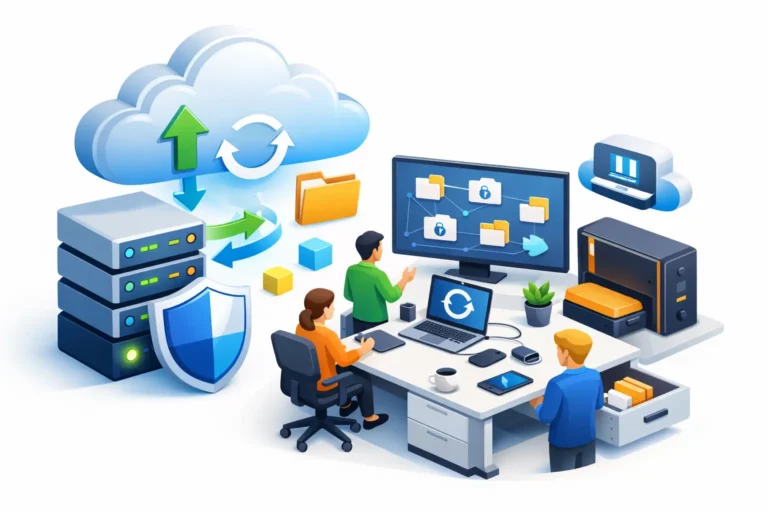
A backup plan usually gets tested on the worst possible day – after someone deletes a client folder, a server fails, or ransomware locks up shared files right before payroll or a court deadline. That is why an office backup strategy guide should not start with storage products or technical terms. It should start with one question: how much disruption can your business actually tolerate?
For a small office, that answer shapes everything. A law firm may need matter files back within hours. A dental practice may need same-day access to schedules and imaging. A construction company may care most about preserving estimates, project documents, and accounting data. The right strategy is not the one with the most features. It is the one that matches your daily operations, your risk level, and your recovery expectations.
What a good office backup strategy guide should cover
A useful office backup strategy guide looks beyond simple file copying. Backups are part of business continuity. They protect your ability to keep working when hardware fails, people make mistakes, software corrupts data, or attackers target your systems.
That means you need clarity on three things. First, what data matters most. Second, how quickly you need it restored. Third, where clean copies will live if your main environment becomes unavailable.
Many offices assume they are covered because files sync to the cloud or because someone occasionally copies data to an external drive. Those steps may help, but they are not always enough. File sync can carry over deletions and encrypted files. A USB drive connected all the time can be damaged by the same event that affects the computer. A backup only counts if it can be restored, in full, within the time your business can afford.
Start with your critical systems, not your storage
The easiest mistake is backing up everything the same way. In practice, office data has different levels of importance and different recovery needs.
Your line-of-business applications usually come first. That may include accounting software, case management platforms, scheduling systems, medical records, estimating tools, or shared project folders. Email is often critical too, especially for offices that rely on message history, attachments, and calendars to run day to day.
Then look at where data actually lives. Some offices have a local server, some rely on cloud platforms, and many have a mix of both. Workstations matter more than many teams realize, especially if key documents are still being stored on desktops or local drives. If a staff member’s laptop dies and their files were never redirected or backed up, the gap becomes obvious very quickly.
This is also the point where trade-offs come in. Backing up every device every few minutes sounds ideal, but it increases cost, storage use, and management overhead. A small office may do better with more frequent backups for shared business data and less frequent image-based backups for standard workstations.
The 3-2-1 rule still works, but it needs context
You have likely heard the 3-2-1 rule: keep three copies of your data, on two different types of media, with one copy offsite. It remains a strong foundation because it reduces the chance that a single failure wipes out everything at once.
For a modern office, that often means production data, a local backup for fast restores, and a separate offsite or cloud backup for disaster recovery. The local copy helps when someone needs a file restored quickly. The offsite copy helps when the office experiences theft, fire, hardware loss, or a wider cyber incident.
Still, 3-2-1 is a principle, not a complete plan. If your offsite backup can be reached by compromised credentials, it may not be as safe as you think. If your local backup device is always online and never monitored, it may not offer much protection against ransomware. The rule matters, but the implementation matters more.
Recovery goals should drive your backup schedule
Two numbers help turn backup planning into something practical: how much data you can afford to lose and how long you can afford to be down.
If your office can tolerate losing up to one business day of work, nightly backups may be acceptable. If even a few hours of lost scheduling, billing, or client updates would cause serious disruption, you likely need more frequent backups or continuous protection for certain systems.
Recovery time matters just as much. Restoring a single file is very different from rebuilding a server, reconnecting users, and confirming applications work properly. Some businesses are comfortable waiting a day. Others are not. A medical or legal office with strict operational requirements may need near-immediate access to records, which changes the design of the whole backup environment.
This is why backup discussions should include leadership, operations, and IT. The technical team can explain options, but the business has to define what downtime really costs.
Cloud backup is useful, but not automatically complete
Cloud services are a major part of a modern backup strategy, but they are often misunderstood. If your office uses cloud email, cloud file storage, or SaaS business applications, do not assume long-term recovery is fully handled for you.
Some platforms provide limited retention or basic recycle-bin recovery, which is helpful for accidental deletion but less helpful for broader recovery needs. If a file is corrupted and the problem goes unnoticed for weeks, or if an account is compromised, recovery options may be limited without a dedicated backup layer.
For many small and mid-sized offices, the best approach is hybrid. Keep fast local recovery where it makes sense, and maintain secure cloud-based copies that are isolated from day-to-day production risks. It costs more than relying on one method alone, but it also gives you more than one path back to normal operations.
Testing is what separates a backup plan from false confidence
One of the most common problems in small offices is not the lack of backups. It is the lack of testing. Jobs appear to run, alerts get ignored, and everyone assumes recovery will work when needed.
Until it does not.
Backups should be reviewed regularly and tested on purpose. That includes restoring individual files, checking previous versions, and occasionally validating larger recoveries such as a workstation image or a server-based application. You want to find out now if permissions break, databases do not mount correctly, or restore times are much longer than expected.
Testing also exposes operational gaps. Maybe one critical folder was excluded years ago and nobody noticed. Maybe a vendor-hosted application needs a separate export process. Maybe remote users are saving files in places that never make it into the backup routine. Those are manageable problems when found early.
Security matters just as much as storage capacity
A backup system can fail without ever breaking. It can fail because access controls are weak, monitoring is absent, or retention settings are too short to recover from a delayed discovery.
That is why a sound backup strategy includes security controls around the backups themselves. Administrative access should be limited. Alerts should be reviewed. Retention should account for more than simple user mistakes. If ransomware sits quietly for days before encryption starts, short retention windows may leave you with nothing but bad copies.
Immutability and versioning can help, but again, it depends on the environment. Not every office needs the same level of protection for every system. The key is to identify where a compromise would hurt most and build stronger safeguards there first.
A practical office backup strategy guide for growing businesses
If your office is growing, your backup strategy should grow with it. What worked for five users may not work for twenty-five, especially once remote access, cloud apps, compliance expectations, and larger shared data sets enter the picture.
A practical office backup strategy guide for a growing business usually includes documented backup scopes, defined recovery goals, monitored backup jobs, and regular review. It also includes clear ownership. Someone should know what is protected, what is not, how restores are requested, and how often the plan is validated.
This does not mean every business needs an enterprise-level setup. It means your backup process should no longer depend on memory, one employee, or a device sitting under a desk. Reliable recovery comes from planning, visibility, and maintenance over time.
For many small offices, outside IT support becomes most valuable here. Not because backups are mysterious, but because consistency is hard when your team is busy running the business. A managed approach can help keep the process monitored, tested, and aligned with real operational needs instead of best guesses.
A good backup strategy should let you sleep a little better, not leave you hoping the last job ran. If your office has not reviewed its recovery plan recently, this is a good time to ask the uncomfortable questions now, while the answers are still affordable.
