



A server failure at 10:15 on a Tuesday does not feel like an IT issue. It feels like missed appointments, delayed invoices, unanswered calls, and staff standing still while the clock keeps moving. That is why business continuity IT support matters. It is not just about getting systems back online after a problem. It is about keeping your business operating when something goes wrong, and making sure the disruption stays small instead of turning into a full-day crisis.
For many small and mid-sized businesses, continuity planning gets pushed aside until there is a close call. A power outage exposes gaps in remote access. A ransomware scare reveals that backups have not been tested. An aging firewall starts dropping connections during business hours. None of these issues are unusual. What matters is whether your IT environment is prepared to absorb the hit and keep people productive.
What business continuity IT support really means
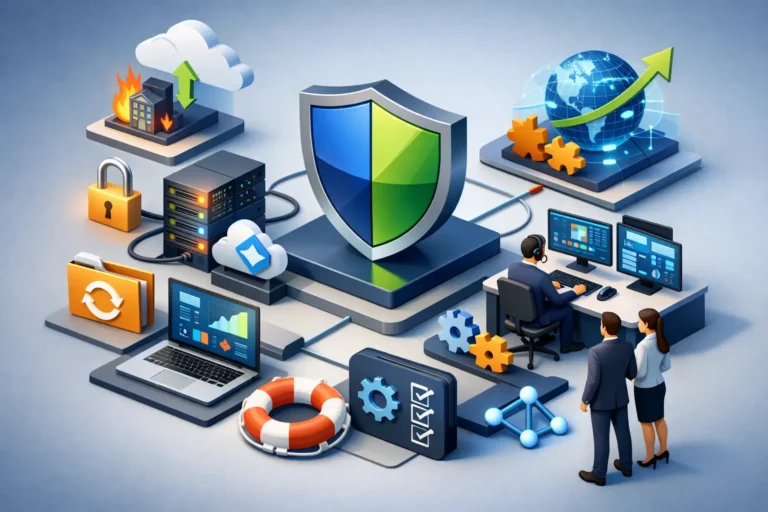
Business continuity IT support is the practical side of resilience. It combines planning, monitoring, security, backup strategy, device management, and responsive support so your business can keep functioning during technical failures, cyber incidents, and operational disruptions.
That definition sounds broad because continuity is broad. It touches nearly every system your team relies on, from email and file access to phones, cloud apps, internet connectivity, and endpoint protection. If one of those pieces fails, the effect spreads quickly. A dental office may lose access to scheduling software. A law firm may be unable to retrieve case files. A construction company may lose communication between field staff and the office. The technology problem is real, but the business impact is what hurts.
This is also why business continuity is different from basic break-fix support. Fixing issues after they appear is useful, but it is reactive by nature. Continuity-focused support asks harder questions early. What happens if a workstation dies before payroll is processed? What if the office internet fails during a full day of appointments? What if an employee clicks a malicious link and shared files become encrypted? The goal is not to eliminate every risk. It is to reduce the chance of disruption and shorten recovery time when something does happen.
The core parts of business continuity IT support
Continuity works best when it is built into daily IT management, not treated as a separate binder that sits on a shelf. In practice, there are a few core areas that make the biggest difference.
Backup is only useful if recovery is realistic
Most businesses know they need backups. Fewer know how long recovery would actually take or whether the backup includes everything that matters. A file backup alone may not restore a full working environment. A cloud backup may protect data but still leave users offline longer than expected. A local backup may be fast but vulnerable if the same incident affects the entire office.
Good continuity planning looks at backup layers, recovery timelines, and testing. It is not enough to ask whether data is backed up. You need to ask how quickly critical systems can be restored, which systems get priority, and whether the recovery process has been verified under real conditions.
Cybersecurity is part of continuity, not a separate project
A surprising number of business interruptions now start with a security event. Phishing, ransomware, account compromise, and unauthorized access can stop operations just as effectively as hardware failure. In some cases, they do more damage because they also create legal, financial, and reputational problems.
That is why continuity support should include managed security controls such as endpoint protection, patch management, email filtering, account security, and monitoring for suspicious activity. The exact tool set depends on the business, but the principle is consistent. If your security posture is weak, your continuity plan is weak too.
Networks and communications need fallback options
When the internet goes down, many businesses discover how much of their operation depends on a single connection. Cloud software, phones, payment systems, remote access, and customer communication may all stop at once. In a small office, that can mean an immediate standstill.
A continuity-minded IT approach looks at network reliability, firewall health, Wi-Fi performance, and phone system resilience. In some environments, a backup internet connection makes sense. In others, mobile failover, cloud-based communication tools, or better remote access options are enough. There is no one-size-fits-all answer, which is exactly why local, hands-on support matters.
Day-to-day maintenance prevents avoidable emergencies
Some outages are dramatic. Others are completely preventable. Unpatched systems, failing hard drives, expired security certificates, neglected user permissions, and unsupported software often create the disruptions businesses later describe as unexpected.
Proactive monitoring and maintenance are not glamorous, but they are one of the strongest forms of business continuity IT support. When devices are managed properly, updates are reviewed, storage issues are caught early, and alerts are investigated before users notice a problem, downtime drops. That is not theory. It is the result of disciplined IT management over time.
Why small businesses often underestimate continuity risk
Larger organizations usually have formal disaster recovery planning because they have dedicated IT leadership, compliance demands, or more visible operational risk. Smaller businesses often assume they can work around problems as they come up. Sometimes they can. Sometimes they cannot.
The issue is not size. It is dependency. A medical office with ten employees may depend on technology more heavily than a much larger company in another industry. The same goes for legal offices, repair shops, accounting firms, and construction businesses coordinating jobs across multiple locations. If your team relies on connected systems to schedule, communicate, bill, document, or serve clients, then downtime is expensive whether you have eight employees or eighty.
There is also a common misconception that cloud software solves continuity by default. Cloud platforms do help, but they do not remove all risk. Users still need secure access, stable internet, working devices, protected accounts, and a plan for configuration errors or accidental deletion. Moving to the cloud changes the continuity model. It does not eliminate the need for one.
How to judge whether your current support is continuity-ready
A simple test is to look beyond the phrase backup and ask how your business would actually function during a bad day. If your office lost access to core systems this afternoon, who would make decisions, who would contact staff, how would phones be handled, what data would still be available, and how long would recovery take?
If those answers are vague, your continuity posture may be weaker than it seems. The same is true if your IT support only becomes visible when something breaks. Responsive support is important, but continuity requires more than speed. It requires planning, documentation, routine maintenance, and a clear understanding of business priorities.
A stronger provider will usually start with the operational side of the conversation. Which systems matter most? What downtime can you tolerate? What security risks are most likely in your environment? Are remote staff covered? Are backups tested? Are vendors coordinated? Those questions lead to better protection than selling a generic package ever will.
Business continuity IT support should fit the business
A continuity plan for a dental clinic should not look exactly like one for a law office or a construction firm. The clinic may prioritize appointment software, imaging access, and front-desk continuity. The law office may care most about document access, email security, and confidentiality. The construction company may need stable mobile communication, field file access, and dependable coordination between office and job site.
This is where tailored support has real value. The right solution depends on your systems, your risk tolerance, your staff workflow, and your budget. Overbuilding can be wasteful. Underbuilding can be costly when something fails. A practical IT partner helps you find the middle ground where protection is strong enough to matter and simple enough to maintain.
For businesses in places like Ottawa and the Ottawa Valley, that local relationship can be especially useful when support needs to be responsive and grounded in how the business actually operates. Continuity is easier to maintain when your IT provider understands your environment, not just your software list.
What good continuity support feels like in practice
When continuity support is working, your business does not feel constantly interrupted by technology. Staff can access the tools they need. Security issues are addressed before they spread. Backups are not a mystery. Updates are managed with care. If a disruption occurs, there is a plan, and someone takes ownership quickly.
That does not mean every issue disappears. Hardware still fails. Users still make mistakes. Vendors still have outages. The difference is that your business is not relying on luck. You are relying on preparation, monitoring, and support that is designed around uptime instead of reaction alone.
RA IT Support works with businesses that need exactly that kind of practical stability – not extra complexity, just dependable systems and a clear response when something goes wrong.
If you are evaluating your current setup, start with one honest question: if a critical system failed tomorrow, would your team know what to do next? The answer tells you a lot, and it is usually the best place to start.
