



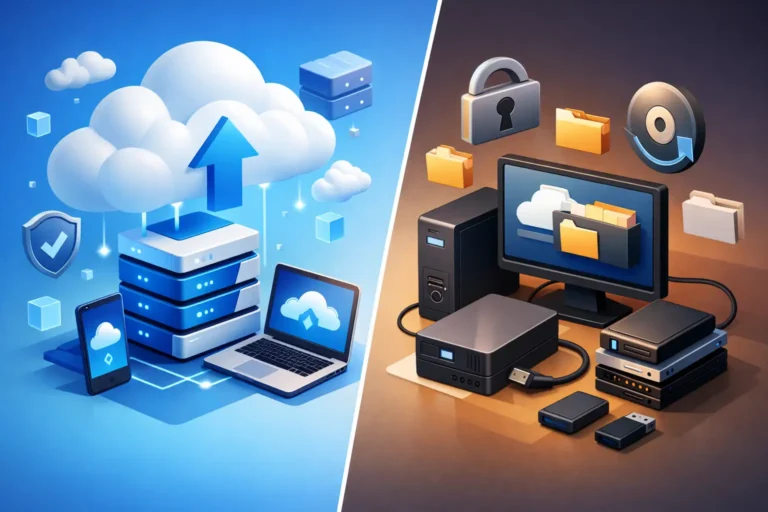
If your office server fails at 10:30 on a Monday morning, the backup you chose becomes a business decision, not an IT detail. That is why cloud backup vs local backup matters so much for small businesses and professional offices. The right choice affects how fast you recover, how much data you lose, and how much disruption your team and clients feel.
For many businesses, this is not really an either-or question. It is a question of risk, recovery time, and what kind of failure you are planning for. A deleted file, a failed hard drive, a ransomware attack, and a building-wide disaster do not all call for the same backup strategy.
Cloud backup vs local backup: what is the difference?
Cloud backup stores copies of your data in an off-site data center, usually through an encrypted internet connection. Your files, systems, or server images are sent to a secure remote platform on a schedule or continuously, depending on the service.
Local backup stores that same data on equipment you control directly, such as an external hard drive, a network-attached storage device, or a backup server in your office. The data stays physically close, which often makes backup and restore jobs faster.
At a basic level, cloud backup gives you distance and resilience. Local backup gives you speed and direct access. Most of the real-world decision-making comes down to how much you value each one in different situations.
When local backup makes more sense
Local backup is often the fastest way to restore data after common problems. If someone accidentally deletes a file, a workstation crashes, or a small server issue interrupts operations, restoring from a local device can be much quicker than pulling large amounts of data down from the cloud.
That speed matters in busy offices. A dental practice cannot afford to wait all day for imaging files to return. A law office may need document access immediately. A construction company working against deadlines may need shared job files back before crews lose productive hours.
Local backup also helps when internet bandwidth is limited. Uploading and downloading large datasets takes time, especially for offices with years of records, scanned documents, accounting data, photos, or specialized software databases. If your internet connection is average and your data volume is high, cloud-only backup can create a bottleneck.
There is also a cost consideration. For some businesses, a local device has a predictable upfront cost and lower recurring fees. That can look attractive compared with ongoing cloud storage charges.
But local backup has a serious weakness. If the backup sits in the same building as the original data, it is exposed to many of the same threats. Fire, theft, flood, electrical damage, and ransomware can all affect both the production system and the backup if they are not properly separated and protected.
The risks of relying only on local backup
The biggest mistake with local backup is assuming proximity equals safety. It often equals convenience, not resilience.
A backup device connected all the time can be encrypted by ransomware right along with your main server. A hard drive sitting in the office does not help much after a break-in or major power event. Even a well-configured local backup system still depends on hardware health, testing, and someone paying attention to failed jobs.
For businesses without dedicated in-house IT, these are not small details. Backups fail quietly more often than people realize.
When cloud backup makes more sense
Cloud backup is strongest when the problem is bigger than a single machine. If your office is damaged, inaccessible, or compromised, an off-site backup gives you a path to recovery that does not depend on the building or equipment in front of you.
That is one reason cloud backup is so important for business continuity. It protects against site-level events that local backup cannot fully address on its own. If a server room has water damage or a theft wipes out multiple devices, cloud backup can keep a bad day from becoming a business crisis.
Cloud backup can also support stronger security when it is managed properly. Reputable services use encryption, retention policies, versioning, and immutability options that help protect backup data from tampering. That is especially valuable in ransomware situations, where recovery depends on having clean, untouched copies of your data.
Another advantage is reduced dependency on office hardware. You do not need to buy, maintain, and replace as much on-site backup equipment. For growing businesses, that can make backup easier to scale as data needs increase.
The trade-offs with cloud backup
Cloud backup is not instant. Restoring a few files may be quick, but recovering an entire server or several terabytes of business data can take time. Recovery speed depends on internet bandwidth, the size of the data set, and the backup platform itself.
There is also the issue of ongoing cost. Cloud storage and managed backup services are usually subscription-based. That can be a smart investment, but it needs to be planned for.
And while cloud backup can reduce hardware burden, it does not remove the need for oversight. Backup schedules, retention periods, user permissions, encryption settings, and recovery testing still need active management. A cloud backup that has never been tested is still a risk.
Cloud backup vs local backup for recovery speed and security
If your priority is the fastest possible restore for day-to-day issues, local backup often has the edge. If your priority is surviving a major event, cloud backup usually wins.
Security is more nuanced. People sometimes assume cloud means less secure because the data is off-site. In practice, poor setup is the bigger problem than location. A poorly protected local backup is vulnerable. A poorly configured cloud backup is vulnerable too. Security comes from encryption, access control, segmentation, monitoring, and regular testing.
This is where small businesses often benefit from a managed approach. Backup is not just about copying files. It is about making sure those copies are usable when something goes wrong.
Why many businesses need both
For most organizations, the strongest answer to cloud backup vs local backup is a hybrid backup strategy. That means keeping local backups for quick recovery and cloud backups for off-site protection.
This approach covers more scenarios without forcing one tool to do everything. If someone deletes a folder or a workstation needs a rapid restore, local backup can handle it. If ransomware spreads through the network or the office becomes inaccessible, cloud backup gives you a second line of defense.
This is often the best fit for professional offices and service businesses because downtime costs more than backup storage. A short outage can delay appointments, interrupt billing, stall casework, or stop staff from accessing the systems they rely on all day.
A practical backup plan usually follows the same principle as good security – layers matter. One backup method is better than none, but a single method still leaves gaps.
How to choose the right backup approach
The right solution depends on how your business operates. Start with your recovery expectations. How quickly do you need systems back? How much data can you afford to lose between backups? Which systems are truly critical to daily work?
Then look at the type of data you have. A small office with standard documents and cloud-based apps may have different needs than a clinic with large files, a legal office with strict retention concerns, or a business running specialized local software.
You should also consider your risk profile. If ransomware, compliance, and operational downtime are top concerns, backup should be part of a broader business continuity plan, not treated as a one-time setup.
For many small and midsize businesses, this is where outside guidance helps. A provider like RA IT Support can assess whether your current backups are actually aligned with your recovery needs, rather than just assuming your existing system is enough because it has been there for years.
A better question than cloud or local
Instead of asking which backup type is best in general, ask which failure you are prepared to recover from by noon. That changes the conversation quickly.
A local backup may save the day after a simple hardware issue. A cloud backup may save the business after something much worse. When both are planned properly, you are not choosing between speed and resilience. You are building for both.
The best backup strategy is the one that still works when the pressure is on, the phones are ringing, and your team needs answers right away.
