



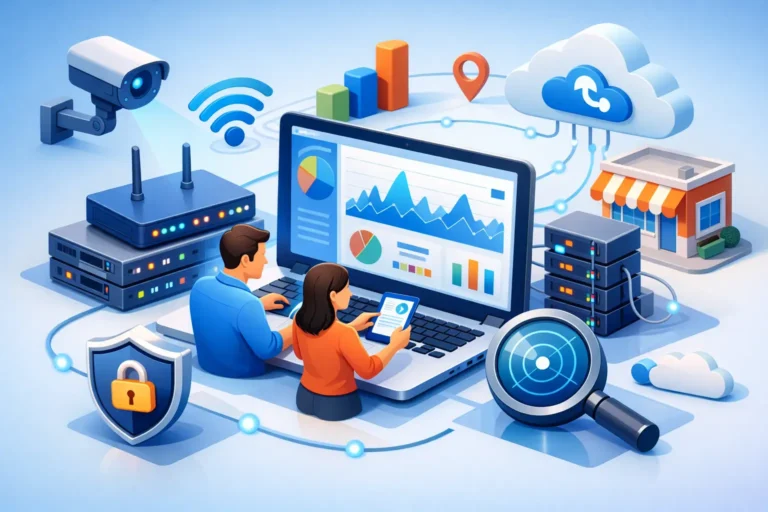
A slow network rarely stays a small problem for long. It starts with frozen files, dropped calls, or a printer that goes offline for no clear reason. Then a staff member cannot access a cloud app, a payment terminal lags, or a backup fails overnight. That is where network monitoring for small business stops being a technical extra and becomes part of keeping the workday on track.
For many smaller companies, the network only gets attention when something breaks. That is understandable. If you run a medical office, law firm, dental practice, garage, or construction company, your priority is serving clients and keeping operations moving. But waiting for visible problems usually means you are already dealing with lost time, frustrated staff, and avoidable risk.
What network monitoring for small business actually means
At its core, network monitoring is the ongoing tracking of the devices, connections, and services your business relies on every day. That includes firewalls, switches, routers, Wi-Fi access points, servers, internet connections, cloud-connected systems, and sometimes phones, printers, and workstations.
The goal is not to collect technical data for its own sake. The goal is to spot signs of trouble early. A monitored network can show when internet performance drops, when a device is overloaded, when a critical service goes offline, or when unusual traffic suggests a security issue. Instead of finding out from an upset employee or customer, your IT support team can often identify the problem first and respond faster.
That early warning matters more in small businesses than many owners realize. Smaller teams usually do not have spare time, spare systems, or an in-house IT department ready to troubleshoot at a moment’s notice. One network issue can disrupt scheduling, billing, file access, phones, and communication all at once.
Why small businesses feel the impact faster
In a larger organization, a localized outage may affect one department. In a small office, it can affect everyone. If your shared files are slow, your front desk feels it, your operations staff feels it, and your customers may feel it too.
There is also less room for guesswork. A growing business may have a mix of older equipment, newer cloud platforms, remote access tools, guest Wi-Fi, security software, and internet-based phone systems. That kind of setup is common and often perfectly workable, but it creates more moving parts. Without monitoring, it becomes difficult to tell whether a problem comes from the ISP, a failing switch, weak wireless coverage, bandwidth congestion, or a device behaving abnormally.
Security is another factor. Small businesses are often targeted because attackers assume protections are lighter. Monitoring does not replace cybersecurity controls, but it helps support them. Unusual traffic patterns, repeated failed connections, and unexpected device behavior can all point to problems worth investigating before they turn into a larger incident.
What should be monitored on a business network?
It depends on the size of the environment and how dependent your business is on uptime. A five-person office has different needs than a busy clinic or multi-location operation. Still, a useful network monitoring setup usually watches a few key areas.
Internet connectivity comes first. If your line drops, slows down, or becomes unstable, your team needs to know quickly. Firewall health is also critical because it sits at the edge of your network and often supports both security and remote access. Core networking hardware such as switches and access points should be monitored for outages, performance strain, and hardware issues. If your phone system runs over the internet, voice quality and latency deserve attention as well.
Many businesses also benefit from monitoring server availability, backup status, VPN connections, and wireless performance. In some environments, printer uptime even matters more than people expect. A law office that depends on fast document handling or a medical office that prints constantly can lose time quickly when those devices fail.
The point is not to monitor everything possible. The point is to monitor the systems that would hurt your operations if they stopped working or started behaving unpredictably.
The business case is simpler than it sounds
Business owners sometimes hear network monitoring and picture an expensive enterprise platform with dashboards nobody understands. In practice, good monitoring should feel practical. It should reduce surprises, shorten troubleshooting time, and make support more proactive.
That can show up in very ordinary ways. A technician sees a failing access point before staff starts complaining about Wi-Fi. A storage issue gets resolved before a backup window is missed. A firewall alert points to suspicious traffic that needs immediate review. An overloaded switch port reveals why one part of the office is constantly slow.
These are not dramatic technology wins. They are operational wins. They protect productivity, reduce downtime, and make it easier to plan upgrades based on evidence instead of guesswork.
Common signs your business needs better monitoring
You do not need a major outage to justify this kind of support. Repeated small issues are often the bigger clue.
If your team regularly reports intermittent slowness, if internet-based phones cut out, if remote users struggle to connect, or if Wi-Fi works well in one room and poorly in another, those are all signs that visibility is limited. The same is true if backups fail without anyone noticing, or if your current IT support only learns about problems after employees submit complaints.
Another warning sign is growth. As your business adds staff, software, devices, and cloud services, your network becomes more important and more complex. The setup that worked for six users may not hold up well at fifteen or twenty-five, especially if nothing is being watched consistently.
Monitoring is not the same as management
This distinction matters. Monitoring tells you what is happening. Management is what you do with that information.
A monitoring tool can show that a firewall is under strain or that a switch has gone offline. It does not automatically fix the underlying issue, review your warranty status, replace aging hardware, or decide whether your network design still fits your business. That is why monitoring works best when it is part of broader IT support rather than a standalone tool someone installed and forgot.
For small businesses, the best approach is usually a managed one. That means alerts are reviewed by people who understand your environment, know which issues are urgent, and can act before a small disruption turns into a larger one. It also means your network is not being judged against generic standards alone. It is being evaluated based on how your business actually operates.
How to choose the right approach
Not every business needs the same level of monitoring. A professional office with stable hours and straightforward systems may need a focused setup that covers internet uptime, firewall health, wireless performance, backups, and key hardware. A busier environment with VoIP phones, remote access, line-of-business software, and multiple locations may need deeper insight into traffic, device performance, and service dependencies.
The right question is not, “What is the most advanced monitoring package available?” It is, “What problems would cost us the most if we did not catch them early?”
That answer helps shape the scope. It also keeps spending aligned with business value. There is no benefit in paying for visibility you will never use, just as there is no savings in skipping monitoring where downtime is expensive.
If you work with a local IT partner, ask how alerts are handled, what is being monitored, how often systems are reviewed, and what happens after an issue is detected. Good service should not stop at detection. It should include response, communication, and practical recommendations over time.
Why local support can make a difference
For businesses in Ottawa and the Ottawa Valley, having responsive support nearby can be especially useful when a network issue is tied to on-site equipment, office layout, or aging infrastructure. Some problems can be addressed remotely. Others benefit from a technician who understands the environment firsthand and can connect the technical issue to the way your team works.
That hands-on perspective matters in smaller organizations, where one recurring network issue can affect the entire office. It is also why companies like RA IT Support focus not just on fixing isolated problems, but on helping clients maintain dependable systems day to day.
Network monitoring does not need to be flashy to be valuable. For a small business, its real job is to make technology less disruptive, less risky, and less reactive. When your network is being watched properly, your team can spend less time chasing IT issues and more time doing the work clients count on you for.
A reliable network is easy to overlook when it is working well, and that is exactly the point.
