



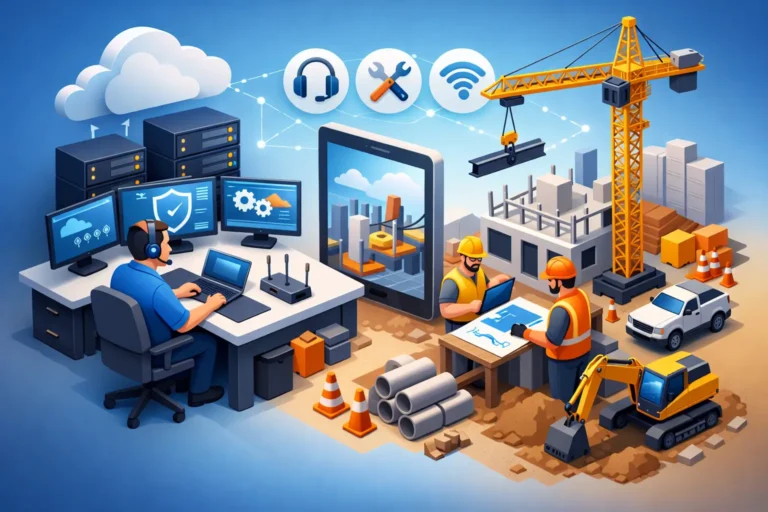
A superintendent is waiting on revised plans, the project manager cannot open a shared file from the trailer, and the accounting team back at the office is trying to process payroll on a network that keeps dropping. In construction, technology problems do not stay in the background for long. That is why reliable IT support for construction companies matters so much – not as a nice extra, but as part of keeping jobs moving.
Construction firms depend on a mix of office systems, field devices, cloud platforms, phones, drawings, job costing tools, and vendor communication. When even one piece fails, it can create delays, rework, billing issues, and frustrated crews. The right IT setup does more than fix laptops. It supports scheduling, communication, documentation, security, and continuity across every active project.
Why IT support for construction companies is different
Construction is harder on technology than many other industries. Teams are spread between the main office, vehicles, homes, and temporary job trailers. Internet service may be inconsistent. Devices are carried around sites, exposed to weather, dropped, lost, or shared between users. At the same time, the business is handling bids, contracts, invoices, permits, design files, and sensitive financial data.
That creates a different support environment than a standard office. A law firm may need stable document access and security. A construction company needs those things too, but with the added pressure of mobility, changing worksites, and fast decisions in the field. Support has to account for crews who need access now, not after a long help desk queue.
There is also a real trade-off between convenience and control. Field teams need simple access to files and apps from wherever they are working. But if that access is set up poorly, it increases the risk of data loss, ransomware, and unauthorized access. Good support finds the balance. It keeps systems practical for daily use while protecting the business from avoidable risk.
The systems construction companies rely on most
Most construction businesses do not run on one platform. They rely on a patchwork of tools that need to work together consistently. That usually includes email, file storage, estimating software, project management systems, accounting platforms, mobile devices, printers, Wi-Fi networks, and phones.
The problem is not just whether each tool works on its own. The bigger issue is whether the whole environment works reliably from office to field. If plans are saved in one location, change orders are tracked somewhere else, and site photos live only on individual phones, the business starts losing visibility. Important details slip through the cracks.
For that reason, effective support often starts with standardization. Not every company needs the same devices or software, but it helps when there is a clear way to store documents, protect data, provision new users, and replace equipment. Standard systems are easier to support, easier to secure, and easier for staff to use correctly.
Downtime costs more than most firms expect
In construction, downtime rarely looks dramatic at first. It may be a printer that will not connect in the office, a VPN issue that blocks access to drawings, or a phone system outage that makes it hard to reach subcontractors. But small problems pile up quickly.
A delayed file can hold up approvals. A failed backup can turn one accidental deletion into a major recovery problem. A dead laptop can take a project manager out of the loop for a day during a critical phase. Even when teams find workarounds, those workarounds often mean wasted labor, duplicate effort, and higher stress.
That is why reactive support alone is usually not enough. Waiting until something breaks may seem cheaper in the short term, especially for smaller firms, but it often leads to higher costs over time. Proactive monitoring, patching, backup checks, and hardware planning reduce the chance that a preventable issue becomes a jobsite problem.
Security risks in construction are real
Construction companies are attractive targets for cybercrime because they move money, exchange contract documents, and work with many outside partners. A single compromised email account can lead to invoice fraud, fake payment requests, or stolen credentials. Ransomware can lock down shared files and disrupt both office and field operations.
The risk is not only external. Lost phones, weak passwords, unprotected laptops, and former employees with lingering access can create just as many problems. And because many firms grow quickly, security practices do not always keep up with the pace of hiring, new projects, and new software.
Good IT support for construction companies addresses the basics first. Multi-factor authentication, managed antivirus, secure backups, user permissions, device management, and email security are not extras. They are foundational protections. From there, stronger support includes staff guidance, response planning, and monitoring that helps catch issues before they spread.
Not every company needs an enterprise-level security stack. A smaller contractor may need a straightforward, well-managed setup. A larger multi-site firm may need more layered controls. What matters is that the protection fits the business and is actually maintained.
Field connectivity can make or break productivity
Construction teams do not work from one clean, climate-controlled office. They work from job trailers, partially finished buildings, trucks, and remote sites where connectivity is unpredictable. That changes the support strategy.
A practical IT partner looks at how crews really work. Do they need stable guest and private Wi-Fi in the trailer? Reliable mobile access to plans and checklists? Better ways to share photos and progress updates back to the office? Stronger phone coverage or VoIP support for temporary setups? These details matter because they affect response time and coordination every day.
There is rarely a perfect answer on every site. Some locations will have limitations based on local service availability and building conditions. But planning around those limitations is part of the job. The goal is not ideal technology on paper. The goal is dependable technology in the places where people actually need it.
What to look for in a construction IT partner
Construction companies usually need more than occasional break-fix support. They need a partner who understands that urgency, mobility, and continuity are part of the work. That means responsive help when people are locked out or offline, but it also means ongoing management that reduces those incidents in the first place.
Look for support that includes proactive device and network monitoring, clear backup processes, cybersecurity protection, and practical help with onboarding new staff and replacing aging hardware. It also helps to have guidance on software changes, cloud access, and communication tools so systems can scale as projects and headcount grow.
Equally important is the service relationship. A good provider should be easy to reach, willing to explain things in plain language, and interested in how your business actually operates. Construction firms do not need vague advice or generic packages. They need solutions that match the reality of how projects are run.
For companies in Ottawa and the Ottawa Valley, that local, hands-on approach can make a real difference when support needs to be responsive and grounded in day-to-day operations.
Better support leads to better project flow
When technology is managed properly, construction teams spend less time chasing files, restarting devices, dealing with email issues, or worrying about whether data was backed up. Office staff can process invoices, update schedules, and communicate with crews without constant interruption. Field staff can get the information they need without calling three different people to find it.
That does not mean every issue disappears. Construction is too dynamic for that. Hardware will still age, internet providers will still have outages, and people will still make mistakes. But with the right support structure in place, those problems become manageable instead of disruptive.
RA IT Support works with businesses that need technology to stay practical, secure, and dependable, especially when downtime affects real operations. For construction companies, that kind of support is not about adding complexity. It is about removing friction so your team can focus on the work in front of them.
The best IT support is often the kind your team barely notices – because files are available, phones work, backups are current, and problems get handled before they slow the job down.
