



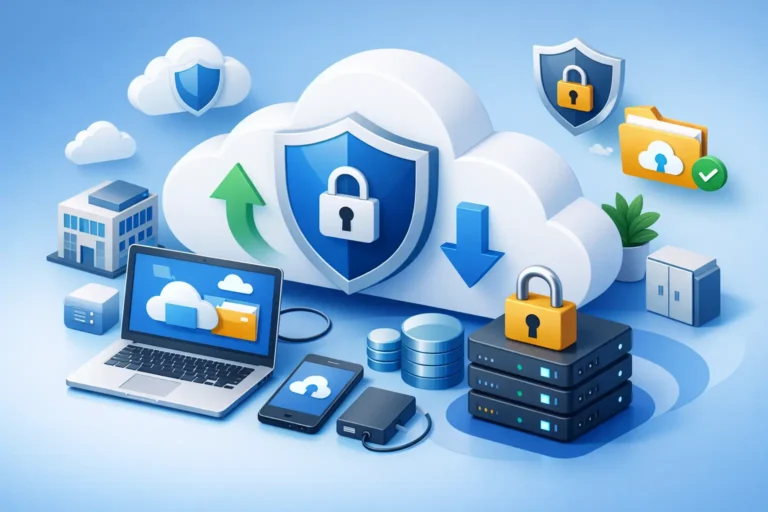
A missed file is annoying. A missing client database, accounting folder, or patient record system can shut down your day fast. That is why secure cloud backup for small business is not just an IT checkbox. It is part of how you keep your doors open, your team working, and your clients confident that their information is protected.
For many small businesses, backup problems do not come from a dramatic disaster. They come from ordinary moments – someone deletes the wrong folder, a workstation fails, ransomware encrypts shared files, or a storm takes down local equipment. When backup is treated as an afterthought, recovery becomes slow, uncertain, and expensive. When it is set up properly, backup becomes part of normal business continuity.
What secure cloud backup for small business really means
A lot of business owners hear the word backup and assume it simply means copying files somewhere else. That is only part of the picture. A secure cloud backup for small business should protect data in transit and at rest, support reliable recovery, and give you confidence that the backup will work when you actually need it.
Security matters because backup data often contains the same sensitive information as your production systems. That can include financial records, legal files, medical information, employee data, or customer communications. If backup is poorly secured, you may solve one risk while creating another.
Cloud matters because local backups alone are not enough. If your office experiences theft, fire, flood, hardware failure, or a serious malware event, a backup stored only on-site may be lost or compromised at the same time. Off-site protection adds a layer of resilience that small businesses need, especially when they rely on a few key systems to operate.
Why local businesses are moving beyond external drives
External drives and simple network storage still have a place, but they are not a complete backup strategy on their own. They can fail, be disconnected at the wrong time, or become encrypted during a ransomware attack if they are always accessible from the network.
That does not mean local backups are useless. In fact, local copies can speed up recovery for large files and entire systems. The issue is relying on them alone. For most small offices, the better approach is a layered strategy that includes both local and cloud-based protection.
This is where trade-offs matter. Cloud backup may take longer to restore large volumes of data than a local device, depending on your internet connection. On the other hand, cloud backup gives you off-site redundancy that a local-only setup cannot. The right answer is usually not either-or. It is choosing a backup design that balances speed, security, and recovery needs.
The risks a backup plan should actually cover
Too many backup conversations focus only on hardware failure. That is still a concern, but it is far from the only one. A practical backup strategy should account for accidental deletion, file corruption, malware, ransomware, lost devices, server failure, syncing mistakes, and site-level disruptions.
Ransomware is a major example. If malicious software encrypts your active files and reaches connected backup locations, your business can end up with no clean copy to restore. That is why secure backup needs versioning, access controls, and protection against unauthorized changes. Simply having copies is not enough.
There is also the issue of human error. A staff member may overwrite an important spreadsheet, remove a project folder, or save bad data over good data. In these situations, the value of backup is not just having yesterday’s copy. It is being able to recover the right version from the right point in time without a long interruption.
What to look for in a secure cloud backup solution
The best backup solution for a law office will not always look identical to the best one for a construction company or a small medical practice. Still, there are a few essentials that apply across the board.
Encryption should be standard. Your data should be encrypted while it is being transmitted and while it is stored. Access should be tightly controlled through strong authentication and limited permissions. Backup monitoring also matters because failed jobs often go unnoticed until someone needs a restore.
Version history is another key feature. If files are changed, corrupted, or encrypted by malware, you need the ability to roll back to a clean version. Retention policies matter too. Some businesses only need short-term recovery windows, while others need longer retention for compliance, legal, or operational reasons.
You also want backup testing, not just backup reporting. A successful backup log does not guarantee a smooth restore. Periodic recovery testing helps confirm that systems, files, and application data can actually be brought back in a usable state.
Backup is not the same as sync
This is one of the most common points of confusion for small businesses. Cloud file sync platforms are useful for collaboration, but sync is not a backup strategy by itself. If a file is deleted, corrupted, or encrypted, those changes can sync across devices and accounts very quickly.
Some sync services offer version recovery, which helps, but that is not the same as a dedicated backup system designed around retention, security, and disaster recovery. If your business relies heavily on shared cloud platforms, those environments still need proper backup coverage.
The same goes for email, shared drives, and business applications. Many business owners assume that a software provider is fully responsible for recovery. In reality, provider protections may be limited, especially when it comes to accidental deletion, user error, or long-term retention.
How much backup does your business actually need?
The honest answer is that it depends on how your business operates. If your team can tolerate a day of downtime and only works with a few non-sensitive files, your backup needs may be fairly simple. If you run scheduling systems, accounting platforms, industry-specific software, or client records that are essential to daily work, the standard should be much higher.
A good place to start is with two questions. First, how much data can you afford to lose? Second, how long can you afford to be down? Those answers shape your backup frequency and your recovery expectations.
For example, a business that updates files all day may need more frequent backups than one that mainly archives documents weekly. A medical or legal office may also need stronger controls around retention and data protection than a business with lighter compliance requirements. Backup should match the reality of your operation, not a one-size-fits-all checklist.
Why management and monitoring matter as much as storage
Small businesses often buy backup tools and assume the job is done. The real risk shows up later, when backups stop running, storage fills up, credentials expire, or a system change leaves part of the environment unprotected.
That is why ongoing oversight matters. Backup should be monitored consistently, reviewed when your systems change, and tested before a real incident forces the issue. A growing business may add workstations, cloud apps, remote users, or new line-of-business software. If backup does not evolve with those changes, coverage gaps appear quietly.
This is also where hands-on IT support makes a difference. A managed approach can help ensure the backup plan reflects the way your office actually works, rather than leaving staff to manage alerts, storage settings, and restore procedures on their own. For many local businesses, that practical support is what turns backup from a product into a dependable safeguard.
Common mistakes that leave businesses exposed
The first mistake is assuming any backup is a good backup. If restores are slow, incomplete, untested, or insecure, the business may still face major disruption. The second is keeping all copies in one place. The third is failing to protect cloud services because they feel safe by default.
Another common issue is setting retention too short. Some problems are discovered days or weeks after they begin. If your backup history is too limited, your clean restore point may already be gone. On the other hand, keeping everything forever is not always practical either. Storage costs, compliance rules, and data management needs should all be considered.
Then there is the restore process itself. Businesses sometimes focus so much on backup completion that they never define recovery priorities. If a disruption happens, which systems need to come back first? Which users need access immediately? Recovery planning should answer those questions before there is pressure.
Choosing a backup approach that supports the business
The right backup strategy should reduce risk without making daily operations harder. It should be secure, but also manageable. It should support fast recovery where needed, while protecting critical data off-site. Most of all, it should fit the size, budget, and workflow of the business.
For small and midsize organizations, especially those without internal IT staff, the goal is not to build the most complex backup environment possible. The goal is to create a dependable one. That means clear recovery objectives, secure storage, regular monitoring, and a plan that reflects how your team works.
RA IT Support works with businesses that need technology to be practical, reliable, and well protected. Backup is a big part of that. When it is planned properly, it does more than store copies of data. It gives your business room to recover, keep serving clients, and move forward with less disruption.
If you are reviewing your current setup, the best next step is not to ask whether you have backup. It is to ask whether your business could recover cleanly, quickly, and with confidence if something went wrong tomorrow.
