



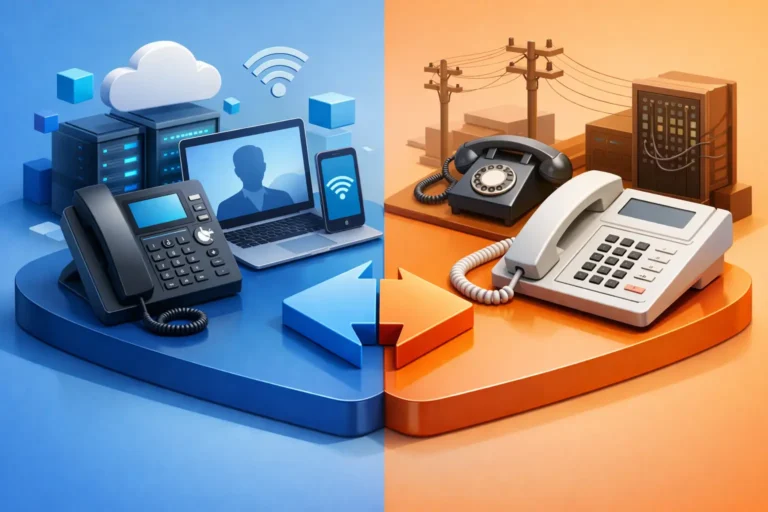
A missed call can mean a missed appointment, a delayed client response, or a job that goes to another business. When comparing VoIP vs landline for offices, the right answer is not simply about choosing the newest technology. It is about ensuring your team can answer calls reliably, protect conversations, and keep working when conditions are less than ideal.
For many small and midsize offices, VoIP is the more flexible and cost-effective choice. A traditional landline can still make sense in specific situations, particularly where internet service is unreliable or a dedicated line is needed for an alarm panel, elevator, or other specialized equipment. The best decision starts with an honest look at how your office communicates each day.
VoIP vs Landline for Offices: The Core Difference
A landline connects phones through a telephone provider’s physical network. Historically, this meant a copper phone line that could continue working during a local power outage because it received power from the telephone network. However, many services marketed as landlines today run over fiber, cable, or digital infrastructure. They may still require local power, so it is worth confirming exactly what your provider supplies.
VoIP, or Voice over Internet Protocol, sends calls through your business internet connection. Instead of tying a phone number to one desk and one physical line, VoIP can route calls to desk phones, computer applications, mobile phones, or a combination of all three.
That difference affects much more than the monthly bill. It changes how easily employees can work from home, how calls are handled when someone is unavailable, how quickly a growing office can add users, and what happens when the internet or power goes down.
Where VoIP Helps Modern Offices
For an office with dependable business-grade internet, VoIP offers practical advantages that traditional phone systems often cannot match.
Flexibility for staff and clients
VoIP lets a receptionist answer calls at the front desk while another employee takes client calls from a laptop, mobile device, or home office. If a lawyer is in court, a dentist is with a patient, or a construction manager is on a job site, calls can be routed without giving out a personal cell number.
Features such as auto attendants, call queues, voicemail-to-email, business texting, call forwarding, and time-based routing are often included or available at a reasonable cost. These tools help a small office present a professional, organized experience without building a complicated phone environment.
Easier growth and changes
Adding a new employee to a landline system may involve arranging a service visit, installing a line, and reconfiguring hardware. With VoIP, adding a user is often much faster. The employee can keep the same extension whether they work at headquarters, a satellite location, or remotely.
This is especially useful for professional practices and service businesses that experience seasonal demand, add administrative staff, or operate from more than one location.
More predictable costs
VoIP usually reduces the need for separate voice circuits and costly long-distance charges. Monthly pricing is commonly based on users or extensions, which makes budgeting simpler as the business changes.
Cost should not be the only factor, though. An inexpensive VoIP service paired with poor internet, unsupported phones, or no technical oversight can create more frustration than savings. The real value comes from a phone system that works consistently and can be supported quickly when it does not.
When a Landline Still Has a Place
Traditional phone service is no longer automatically the most reliable option, but it still has valid uses. The key is understanding which type of landline you are considering and what it depends on.
A true analog line may be useful for equipment that does not work reliably with VoIP, including some alarm systems, fax machines, elevator emergency phones, point-of-sale terminals, and older medical or industrial devices. In these cases, replacing the line without testing compatibility can create a compliance or safety problem.
A landline can also be a sensible backup for an office in an area with inconsistent internet connectivity. If the internet fails often or bandwidth is too limited for clear calls, keeping one dedicated line for emergency use or critical incoming calls may be worthwhile.
However, many businesses assume every landline will work during a power outage. That is not always true. Digital phone services delivered over modem, fiber, or cable equipment may stop when the equipment loses power. Before relying on a line for emergency calling, ask the provider whether it has battery backup, how long that backup lasts, and whether 911 service functions during an outage.
Reliability Depends on More Than the Phone System
The reliability debate is often framed as internet-based VoIP versus dependable landlines. In practice, both options rely on infrastructure that must be maintained.
VoIP call quality depends on sufficient bandwidth, low network congestion, properly configured equipment, and a stable connection. A busy office may have plenty of download speed but still experience choppy calls if large backups, video meetings, guest Wi-Fi, or cloud transfers are competing for network capacity.
A properly configured network gives voice traffic priority so calls remain clear when other internet activity increases. Business-grade routers, managed switches, Wi-Fi planning, and quality-of-service settings all matter. So does having a reputable internet provider and a backup connection if phone availability is mission-critical.
Power protection is equally important. A battery backup can keep internet equipment, network hardware, and VoIP phones operating during a short outage. For longer outages, a generator or call-forwarding plan may be needed. Many VoIP systems can automatically send calls to designated mobile phones if the office is offline, which protects customer access even when staff cannot work from the building.
Security and Privacy Need Attention
Business calls can include private client information, appointment details, financial discussions, and instructions that should not be overheard or misdirected. A phone system deserves the same attention as the rest of your IT environment.
With VoIP, security includes strong administrator passwords, multi-factor authentication where available, up-to-date phone firmware, restricted international dialing, and monitoring for unusual call activity. Toll fraud can occur when criminals gain access to a phone system and place expensive unauthorized calls. Proper configuration and active oversight reduce that risk.
For medical, legal, dental, and other professional offices, the conversation should also include privacy requirements and recordkeeping practices. Call recording, voicemail transcription, mobile applications, and shared inboxes can be useful, but they should be configured with clear access controls and retention rules.
Landlines are not automatically risk-free. They may be less exposed to internet-based attacks, but they can still be affected by physical tampering, call forwarding fraud, and outages. The better question is whether the system is managed, documented, and appropriate for the information your team handles.
Questions to Ask Before Choosing
Before replacing a phone system, review how calls actually move through your office. A short conversation with staff often reveals needs that are easy to overlook. Consider these questions:
- Do employees need to answer business calls away from their desks or outside the office?
- Are there alarm panels, fax machines, elevators, payment terminals, or other devices connected to existing phone lines?
- Is your internet reliable enough for voice calls, and is there a backup plan if it fails?
- Do you need call queues, after-hours routing, recorded greetings, call reporting, or business texting?
- How will emergency calls be handled, and is the office address correctly registered for 911 service?
The answer may be a full VoIP deployment, a landline retained for a specialized purpose, or a hybrid arrangement. For example, a dental office might use VoIP for front-desk calls and staff mobility while retaining a compatible dedicated line for an older alarm system until it can be upgraded.
Making the Change Without Disrupting Business
Moving to VoIP should be planned as an operational change, not treated as a quick hardware purchase. Start with an internet and network assessment to confirm capacity, identify weak Wi-Fi coverage, and determine whether power backup is needed. Then document every phone number, extension, call flow, voicemail box, and connected device before changes begin.
Porting existing business numbers also requires care. The process can take time, and canceling the old service too early can result in lost calls. A staged setup lets the new call flow be tested before the final transition. Staff should know how to transfer calls, check voicemail, use mobile applications, and follow the backup procedure during an outage.
For Ottawa-area offices that rely on phones to schedule appointments, manage service calls, or respond to clients promptly, hands-on support can make the difference between a smooth transition and a stressful one. RA IT Support helps businesses evaluate their network, phone requirements, security needs, and continuity options before recommending a practical solution.
The right phone system is the one your staff can rely on when a client calls at the busiest moment of the day. Choose technology that fits your workflow, test the failure scenarios before they happen, and make sure there is a real person available to help when your communications matter most.
