



A server warning at 8:15 a.m., a phishing email sent to the entire office, or a phone system failure during a busy day can quickly turn IT from a background function into a business problem. The managed IT versus in house decision is really about who is responsible for preventing those disruptions, responding when they happen, and planning for what comes next.
For a small or mid-sized business, there is no universal right answer. An in-house employee can bring valuable familiarity with your people and workflows. A managed IT provider can bring a broader range of skills, proactive monitoring, and predictable support costs. The better choice depends on your business size, risk level, technology needs, and the level of support your team expects.
Managed IT versus in-house IT: the practical difference
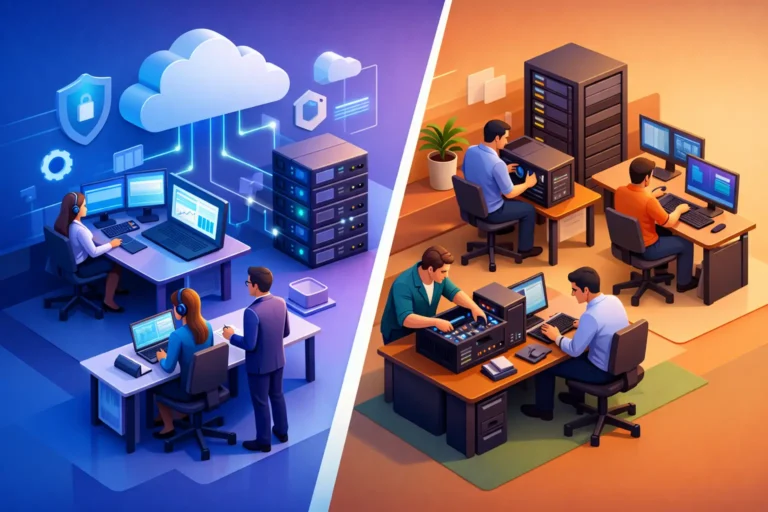
In-house IT means you employ one or more people directly to manage technology. They may handle computers, user accounts, software, network equipment, cybersecurity, vendors, and everyday support requests. Their time, priorities, and expertise are dedicated to your organization.
Managed IT services place those responsibilities with an outside provider under an ongoing service agreement. Rather than relying on one employee, you receive access to a team that monitors systems, provides help desk support, manages updates, supports backups, and advises on technology decisions. The exact scope should be tailored to the business, not forced into a generic package.
The distinction matters because IT is no longer just about fixing a computer after it fails. Reliable operations require patching, account security, backup testing, ransomware protection, network maintenance, documentation, and planning. Those duties need consistent attention even when nobody has submitted a support ticket.
Cost is more than a salary comparison
A common starting point is to compare the monthly fee for managed services with the salary of an IT employee. That comparison is useful, but incomplete. A full-time IT hire also involves benefits, training, vacation coverage, recruiting time, management oversight, hardware and software tools, and the cost of replacing that person if they leave.
For a professional office or service business, one IT employee may be enough to resolve routine issues but may not have deep experience in every area. Cybersecurity, cloud applications, networking, VoIP phones, backup recovery, and compliance-related requirements all demand different skills. Bringing in specialists only after a serious problem can be expensive and stressful.
Managed IT usually changes that variable cost into a more predictable monthly expense. It can be especially practical for businesses that need dependable support but do not have enough ongoing work to justify a full internal department. Predictability is valuable when planning cash flow, but the cheapest monthly proposal is not automatically the best value. Ask what is included, how quickly support is provided, and whether proactive maintenance and cybersecurity measures are part of the agreement.
Coverage and response are often the deciding factors
An in-house IT person has the advantage of proximity. They know the office layout, the personalities, the systems employees rely on, and the small frustrations that may never make it into a formal ticket. For a large operation with specialized applications, multiple locations, or technology-intensive processes, that daily presence can be essential.
The challenge is coverage. People take vacations, get sick, attend training, and eventually move to other opportunities. If one person holds most of the passwords, vendor contacts, and technical knowledge, their absence can create a serious operational gap. This is not a reflection of their ability. It is a business continuity issue.
A managed provider should offer shared knowledge, documented systems, and multiple people who can respond. This model reduces dependence on any one individual. For businesses in Ottawa and the Ottawa Valley that need both remote responsiveness and hands-on assistance when appropriate, the provider’s ability to communicate clearly and show up when needed matters as much as its technical credentials.
Cybersecurity needs dedicated attention
Cybersecurity is one of the strongest reasons businesses consider managed IT. Attacks often begin with ordinary-looking emails, reused passwords, unpatched devices, or unauthorized access to a cloud account. A small office can be a target because attackers look for easy entry points, not because the business is large.
An experienced in-house IT professional can build and manage strong protections. The question is whether they have enough time to do so while also handling password resets, printer problems, onboarding, software questions, and urgent requests from staff. Security work is ongoing. It includes reviewing alerts, applying updates, enforcing multifactor authentication, protecting endpoints, monitoring suspicious activity, and confirming that backups can actually be restored.
Managed IT providers typically spread these responsibilities across people, processes, and tools. That can include proactive computer management, ransomware protection, dark web monitoring, secure backups, and regular guidance on user risks. Still, outsourcing IT does not outsource accountability. Business leaders should understand what safeguards are in place, who is responsible for key decisions, and how an incident would be handled.
The right model changes as your business grows
A five-person legal office has different needs than a construction company with field staff, a dental practice handling sensitive patient information, or an automotive shop dependent on scheduling and diagnostic systems. The number of employees matters, but operational dependence matters more. If an hour without systems means canceled appointments, missed calls, delayed invoices, or inaccessible files, reliability should be treated as a business priority.
Managed IT is often a strong fit when a business needs broad expertise, proactive service, and flexibility without building a department. It can scale as new employees, locations, devices, or cloud services are added. It also gives leaders a sounding board before they make technology purchases or move critical work into a new platform.
In-house IT tends to make more sense when technology is central to the company’s product or daily operations, when there are enough users to support a full team, or when highly specialized internal systems need constant attention. Even then, many organizations use a blended model. Internal staff handle business-specific technology and employee relationships, while a managed provider supports cybersecurity, monitoring, backup, infrastructure projects, or after-hours coverage.
Questions to ask before choosing
Before hiring internally or signing a managed services agreement, look closely at the work your technology must perform. Start with your most disruptive risks: lost access to files, failed backups, ransomware, internet outages, unreliable Wi-Fi, phone problems, or employee downtime. Then consider how your current approach handles each one.
You should also ask how support requests are prioritized, what response times are realistic, how systems are documented, and how new employees are onboarded and offboarded. If you work with sensitive financial, legal, medical, or customer information, ask specifically about access controls, data protection, and recovery procedures.
A worthwhile provider will explain recommendations in business terms, not hide behind jargon. They should be willing to identify what needs immediate attention, what can be planned over time, and where your existing systems are already working well. RA IT Support takes this practical approach because good technology support begins with understanding how a client actually works.
Choose accountability, not just a support model
The best choice is the one that gives your business clear ownership, reliable coverage, and confidence that routine maintenance will not be forgotten until something breaks. Some businesses need an internal IT leader. Others are better served by an engaged managed partner. Many benefit from both.
Whatever model you choose, do not wait for a major outage to define expectations. Put responsibility, response procedures, security standards, and recovery plans in place while your systems are working. That preparation gives your team more time to serve customers, complete important work, and move forward without technology becoming the loudest problem in the room.
