



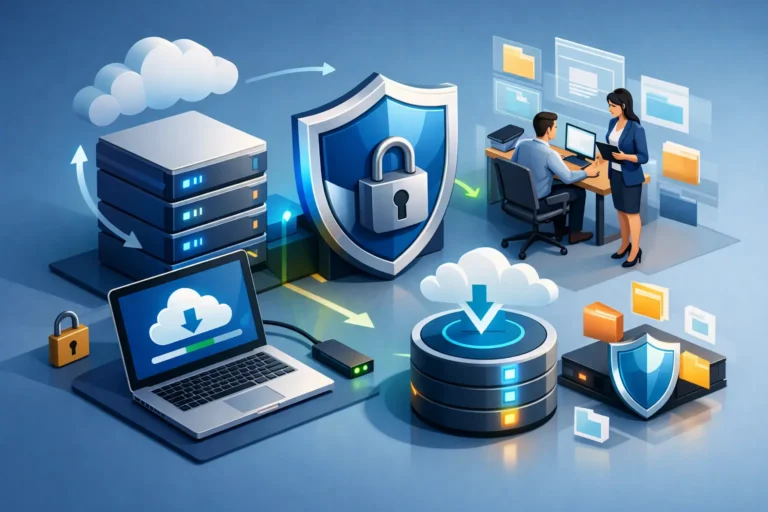
A staff member deletes a shared folder while clearing old files. A server drive fails on a busy Monday. A ransomware message appears after someone opens a convincing email attachment. These are not distant, enterprise-only problems. For a medical practice, law office, garage, or construction company, they can stop work immediately. Understanding how secure backups prevent data loss means looking beyond the idea of simply copying files somewhere else.
A useful backup is one your business can restore quickly, completely, and safely when the original data is gone or cannot be trusted. That requires planning for more than hardware failure. It also requires protection against human error, cyberattacks, failed updates, lost devices, and the quiet corruption of files that may not be noticed for weeks.
Why a Copy of Your Data Is Not Always a Backup
Many businesses assume that files stored in a cloud collaboration platform are fully protected. Those platforms are valuable for access and teamwork, but file synchronization is not the same as independent backup. If an employee deletes a file and that deletion synchronizes across devices, the file may disappear everywhere. If ransomware encrypts a synced folder, the encrypted version can also be synchronized.
The same concern applies to an external drive plugged into a server. It may hold a recent copy of data, but a drive that remains connected can be encrypted by ransomware, damaged by a power event, or stolen with the computer. A backup strategy must account for the failures that could affect both the original data and its copy at the same time.
Secure backups create separation. They preserve recoverable versions of information outside the systems people use every day, with safeguards that limit who can change or delete those versions.
How Secure Backups Prevent Data Loss in Real Incidents
Data loss rarely comes from only one cause. A reliable approach protects against several common scenarios, each with a different recovery need.
Accidental deletion and overwritten files
Someone may remove an active client folder, overwrite a spreadsheet, or empty a folder without realizing it contained critical records. Versioned backups let the business restore a prior copy from before the mistake occurred. This is often faster and less disruptive than trying to recreate work from emails, paper files, or memory.
The retention period matters here. If backups keep versions for only a few days, a mistake discovered a month later may not be recoverable. Professional offices that manage client documents, financial records, case files, or patient information often need retention policies that reflect how long errors can remain hidden.
Hardware failure and physical damage
Hard drives, network storage devices, and servers eventually fail. Fire, flooding, theft, and electrical events can also take out equipment unexpectedly. An offsite backup gives the business a recovery path when the office itself, or the equipment within it, is unavailable.
Recovery does not always mean restoring every file. In some cases, a team needs a single folder right away. In a larger outage, the priority may be restoring core systems, line-of-business applications, shared files, and user access in a planned order. The right backup design supports both quick file recovery and full-system restoration.
Ransomware and malicious activity
Ransomware is one of the clearest examples of why security and backup must work together. Attackers may encrypt data, delete accessible backups, steal information, or wait quietly before launching an attack. Paying a ransom does not guarantee clean data, a working decryption key, or that stolen information will not be exposed later.
Secure backup systems reduce that leverage. They use protected storage, restricted backup administration, encryption, and in many cases immutable backup copies. Immutability means a stored backup cannot be altered or deleted for a defined retention period, even if an attacker gains access to a user account or part of the network.
This does not make prevention unnecessary. Endpoint protection, patching, email security, multi-factor authentication, and staff awareness remain essential. Backups are the recovery layer when other defenses do not stop an incident.
Failed updates and software problems
Not every outage is an attack. An application update, database issue, or configuration change can cause data corruption or make a critical system unusable. A known-good backup provides a rollback point, allowing the business to return to a stable version while the underlying issue is investigated.
The Building Blocks of a Secure Backup Strategy
A dependable backup plan is less about buying one product and more about combining sensible controls. The widely used 3-2-1-1-0 approach is a practical starting point: keep at least three copies of data, on two different types of storage, with one copy kept offsite, one copy protected from changes, and zero unaddressed errors in backup verification.
For a small or mid-sized business, that may include a local backup for fast restoration, an encrypted offsite copy for disaster recovery, and an immutable or otherwise isolated copy for ransomware resilience. The exact setup depends on the size of the environment, internet capacity, data volume, regulatory responsibilities, and how much downtime the organization can tolerate.
Security controls are just as important as storage location. Backup data should be encrypted while moving across the internet and while stored. Access should be limited to authorized administrators, with separate credentials for backup management where possible. Multi-factor authentication should protect administrative accounts, and backup alerts should go to someone who will respond when a job fails.
A backup that has been failing quietly for three weeks is not a safety net. It is a false sense of security.
Recovery Time and Recovery Point: Two Questions Every Business Should Answer
Before choosing a backup schedule, business owners should decide what loss is acceptable and how quickly operations need to resume. These are commonly described as recovery point objective and recovery time objective.
The recovery point objective asks, “How much recent work can we afford to lose?” If backups run once each night, an incident late in the day could mean losing the day’s changes. A busy office that updates schedules, files, estimates, or records all day may need more frequent backups.
The recovery time objective asks, “How long can we be without this system?” Restoring a few files may take minutes. Rebuilding a server, restoring a large dataset, validating applications, and returning staff to normal operations can take much longer. A business that depends on scheduling software, accounting systems, shop management tools, or electronic records needs a recovery process matched to its real operating needs, not an optimistic guess.
There is a trade-off. More frequent backups, longer retention, faster recovery options, and multiple protected copies generally cost more. The goal is not to overbuild. It is to spend appropriately for the cost of downtime, lost productivity, missed appointments, delayed billing, and damaged client trust.
Backup Testing Is Where Confidence Comes From
A successful backup report only confirms that data was copied. It does not prove that the files are complete, readable, and restorable to the system your team uses. Regular testing closes that gap.
Testing can start with routine file restores, such as retrieving a document from a prior version. It should also include periodic tests of key business systems and documented procedures for a broader outage. Can authorized staff access the recovery process? Are the encryption keys and credentials available? Does the restored application work correctly? How long does recovery actually take?
For businesses with regulated or confidential information, testing also helps demonstrate that continuity procedures are active rather than sitting unused in a binder. Any gaps found during a test are far easier to fix on a normal workday than during an emergency.
Common Backup Gaps That Create Risk
The most damaging backup weaknesses are often ordinary oversights. Consider whether your organization has any of these gaps:
- Backups are stored only on equipment in the same office or network.
- Backup accounts use the same passwords as everyday administrator accounts.
- Cloud-synced files are assumed to be independently protected.
- Backup jobs are not monitored, reviewed, or tested.
- Only files are backed up, while critical applications, configurations, or devices are left out.
- Retention periods are too short to recover from a problem discovered later.
These gaps can usually be corrected without making technology harder for staff. In fact, a well-managed backup process should reduce stress because recovery steps are clear before an incident happens.
A Practical Way to Get Started
Start by identifying the data and systems that would stop your business from operating. This may include shared files, email, accounting data, practice management software, customer records, work orders, server configurations, and cloud applications. Then identify where that information lives, who owns it, and how often it changes.
From there, set realistic recovery targets and build a backup plan around them. Document who receives failure alerts, who can authorize a restore, and how the business will communicate if systems are unavailable. Review the plan after major technology changes, such as adopting new software, moving offices, or adding a second location.
RA IT Support helps organizations put these protections in place with backup solutions that fit their actual operations, not a one-size-fits-all checklist. The goal is straightforward: when something goes wrong, your team should have a reliable path back to work.
The best time to test whether you can recover critical data is when nothing is on fire. A short review of your backups now can protect years of work, client relationships, and business momentum later.
