



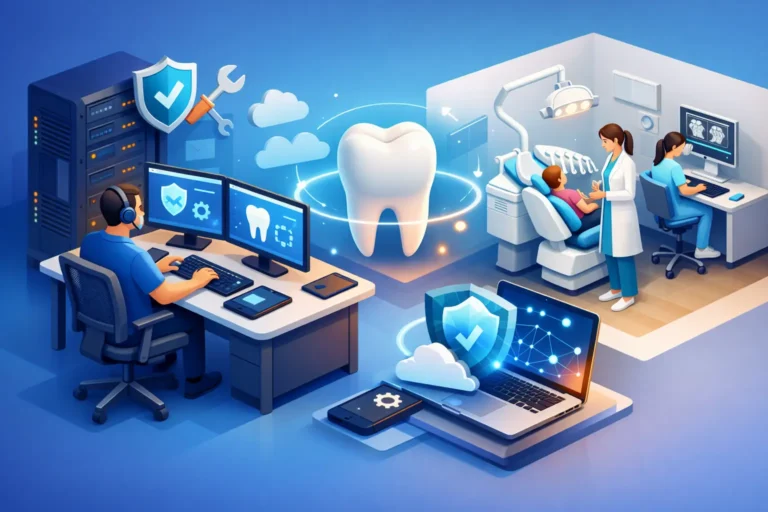
A treatment room goes idle faster than most office managers expect. One imaging workstation stops connecting, the schedule freezes at the front desk, or the phones drop calls during the morning rush. In a dental practice, small technical problems turn into lost production almost immediately. That is why IT support for dental offices needs to be practical, responsive, and built around the way a clinic actually runs.
Dental offices rely on a tightly connected mix of systems. Practice management software, digital imaging, intraoral cameras, insurance processing, email, printers, Wi-Fi, VoIP phones, backups, and security tools all have to work together. When they do, the day moves smoothly. When one part fails, the effect spreads from reception to operatories to billing.
What makes IT support for dental offices different
A dental clinic is not just another small business with laptops and internet access. The technology in a practice supports patient care, scheduling, records, imaging, communication, and payment collection all at once. That creates a different set of priorities than you would see in a retail shop or a general office.
First, downtime costs more than inconvenience. If your team cannot pull up charts, confirm insurance, or view X-rays, appointments slow down or get canceled. A two-hour issue in a dental office can affect the entire day.
Second, patient data carries real compliance and privacy obligations. Offices need secure access controls, protected backups, and clear recovery plans. Security is not only about blocking an attack. It is also about making sure the right people can access the right systems without creating unnecessary risk.
Third, many dental practices grow their technology in stages. A clinic may start with one server, a few workstations, and a basic network, then add operatories, imaging equipment, cloud apps, and remote access over time. That often leaves behind a patchwork of old and new systems. It works until it does not.
The systems that matter most in a dental practice
When dental teams think about IT, they often think first about computers. In reality, the biggest operational risks usually sit in the connections between systems.
The network is one example. If Wi-Fi coverage is weak, if switches are outdated, or if the firewall is poorly configured, software performance suffers across the whole office. Staff may blame the application when the real issue is network congestion or hardware failure.
Backups are another. Many practices assume they are protected because a backup was set up years ago. But a backup that has not been tested is a guess, not a recovery plan. Dental offices need backups that run consistently, store data securely, and can be restored within a realistic time frame.
Phones matter more than people think, too. Missed calls mean missed appointments, delayed follow-ups, and frustrated patients. If your phone system depends on a shaky internet setup or lacks proper support, communication problems can quickly become revenue problems.
Cybersecurity sits over everything. Dental offices are attractive targets because they hold personal and financial information, and because smaller practices often assume they are too small to be noticed. That assumption is expensive.
Common IT problems dental offices run into
Some issues are obvious, like a server outage or a dead workstation. Others build quietly in the background until they cause a larger disruption.
One common problem is aging hardware. A front desk PC that takes ten minutes to boot, or an operatory workstation that struggles with imaging software, slows staff down in ways that become normal over time. The team adapts, but productivity drops and frustration rises.
Another is inconsistent support. If a practice relies on a mix of vendors, one person for phones, another for computers, and software support somewhere else, no one owns the full picture. That often leads to finger-pointing during an outage.
Poor patching and update management is also a risk. Updates can fix security issues and stability problems, but they need to be planned carefully around office hours and software compatibility. In a dental clinic, the right approach is not update everything immediately. It is update with oversight.
Then there is account security. Shared logins, weak passwords, and former employees who still have access are more common than many offices realize. These are basic problems, but they create serious exposure.
What good dental IT support should include
Strong support starts with prevention. Waiting for something to break is not a strategy for a busy clinic. Practices need proactive monitoring, routine maintenance, and someone paying attention to warning signs before they turn into downtime.
That includes keeping workstations and servers healthy, reviewing storage capacity, managing updates, checking backup status, and watching for unusual activity. It also means documenting the environment so support is faster when something does go wrong.
Security should be built into day-to-day operations, not treated as a separate product. For most dental offices, that means managed antivirus, ransomware protection, email security, multi-factor authentication where appropriate, secure remote access, and staff guidance on phishing and risky behavior. The right setup depends on the size of the office, the software in use, and how the team works.
Reliable support also includes network and phone management. If the phones, internet, and local network are all tied to your patient flow, they should be part of the same support conversation. Splitting those responsibilities can make troubleshooting slower and more expensive.
When managed IT services make more sense than break-fix help
Many smaller practices start with break-fix support because it seems cost-effective. You call when something breaks, pay for the repair, and move on. The problem is that this model rewards reaction, not prevention.
For dental offices, managed IT services usually make more sense once the practice depends heavily on digital systems, which most do. The value is not just in having someone to call. It is in reducing the number of calls you need to make in the first place.
Managed support brings consistency. Systems are monitored, backups are checked, security is maintained, and recurring problems are addressed at the root. You also get clearer budgeting because IT spending becomes more predictable.
That said, not every office needs the same level of service. A single-location practice with a straightforward setup may need a lighter plan than a multi-provider clinic with advanced imaging and multiple remote access needs. Good support is tailored, not oversized.
Choosing the right IT partner for a dental office
Technical skill matters, but responsiveness matters just as much. In a dental office, support cannot be vague or slow. You need a partner who understands that a scheduling issue at 8:00 a.m. is not a minor ticket.
Look for an IT provider that asks detailed questions about your workflow, software, backup expectations, security concerns, and growth plans. If they only talk about devices and licenses, they may be missing the operational side of the practice.
It also helps to work with a provider that can support the full environment, including computers, cybersecurity, backups, networking, and phones. A hands-on partner with experience supporting professional offices can often spot risks before they become disruptions. For practices in Ottawa and nearby communities, that local responsiveness can make a real difference when timing matters.
Just as important, choose a provider that communicates clearly. Your team should not need a technical translation every time an issue comes up. Good IT support explains what happened, what was fixed, and what should change next.
The business case for better IT support for dental offices
It is easy to think of IT as overhead until something breaks. But in a dental practice, technology directly affects production, patient experience, and staff efficiency.
A stable network helps appointments stay on schedule. Secure and tested backups reduce the risk of long interruptions. Reliable phones improve patient communication. Faster workstations and consistent software performance reduce friction throughout the day. Stronger cybersecurity lowers the chance that one bad email turns into a major crisis.
Better IT support also helps with planning. Instead of replacing equipment in a panic, you can budget for upgrades. Instead of guessing about security, you can make informed decisions. Instead of tolerating recurring issues, you can fix the systems behind them.
Dental teams should be focused on patient care, not troubleshooting routers, chasing backup errors, or wondering whether a suspicious email was opened. The right support takes that burden off the practice and turns technology into something more useful than a constant source of interruption.
If your office has started treating slow systems, recurring glitches, or backup uncertainty as normal, that is usually the sign to take a closer look. The best time to improve your technology is before it interrupts a full day of patients.
