



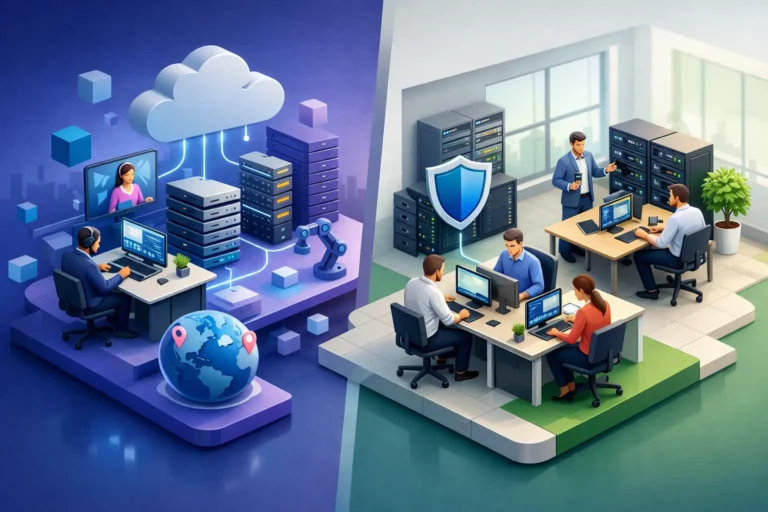
A server failure at 8:15 a.m., a suspicious email sent to the whole office, or a dead internet connection can quickly turn a normal workday into lost revenue and frustrated staff. For a growing practice, shop, or professional office, the outsourced IT vs in house decision is not simply about who resets passwords. It determines how well your business handles downtime, security risks, technology planning, and the everyday issues that interrupt work.
The right answer depends on the size of your team, the complexity of your systems, your risk tolerance, and how much technology support you need before something breaks. Some businesses benefit from a dedicated internal resource. Many small and mid-sized organizations get broader coverage and more predictable costs by working with an outsourced IT partner.
What In-House IT Actually Means
In-house IT means hiring one or more employees whose primary responsibility is managing your technology. They may handle employee support, device setup, network maintenance, vendors, security tasks, backups, and longer-term planning. In a larger organization with complex internal systems, that direct ownership can be valuable.
An internal technician also learns the details of your business over time. They know which workstations run specialized software, which employees need extra help, and what must be working before the doors open each morning. When the person is experienced and has enough time, that familiarity can lead to fast, practical decisions.
The challenge is that one person cannot realistically be an expert in every area. Cybersecurity, cloud platforms, network infrastructure, backup recovery, VoIP phones, compliance requirements, and endpoint management each require specialized knowledge. An internal IT employee may be highly capable, but they still have limited hours and cannot be on call around the clock.
There is also the coverage question. If your only IT person is on vacation, sick, or focused on a major project, who responds when a critical system goes down? For a dental office, law firm, construction company, or automotive shop, waiting until the next business day may not be an acceptable option.
Outsourced IT vs In House: The Core Differences
Outsourced IT gives your business access to an external team that manages and supports your technology under an ongoing service agreement or as needed. The model ranges from fully managed IT, where the provider takes responsibility for day-to-day monitoring and support, to co-managed arrangements that supplement an internal IT employee.
The biggest difference is depth of coverage. Rather than relying on one generalist, outsourced support typically gives you access to people with experience across security, networks, cloud services, backup recovery, and end-user support. That does not mean every provider delivers the same level of service. The quality of communication, response times, documentation, and proactive maintenance matters just as much as technical skill.
Control is another meaningful distinction. With an internal employee, you set daily priorities directly and can assign work as needs change. With an outsourced partner, the relationship depends on a clearly defined scope, a responsive service process, and regular communication. A good provider should feel like an extension of your business, not a distant help desk that only appears after repeated follow-ups.
For many smaller organizations, the choice comes down to whether they need a full-time person on site every day or dependable access to a broader team when support is needed. Those are different needs, and treating them as the same often leads to overspending or gaps in coverage.
Compare the Real Cost, Not Just the Salary
An in-house IT salary is only the starting point. The full cost includes benefits, payroll expenses, training, certifications, recruiting, software tools, and the cost of coverage when that employee is unavailable. You may also need to pay for outside specialists when a project goes beyond the employee’s expertise.
For example, an internal technician may handle routine support very well but need outside help for a firewall replacement, a cloud migration, a ransomware incident, or a complicated network redesign. That is not a failure on their part. It is the reality of how broad IT responsibilities have become.
Outsourced IT is often easier to budget because monthly service costs can be fixed and tied to the number of users, devices, or services covered. Predictable pricing helps business owners plan, particularly when unexpected repairs or technology emergencies would otherwise disrupt cash flow.
Still, the least expensive monthly plan is not always the lowest-cost choice. Review what is included. If monitoring, patching, security tools, backups, user support, strategic planning, and emergency response are priced separately, a low initial quote can grow quickly. Ask for clarity about hourly rates, project charges, after-hours support, onboarding fees, and what happens during a cybersecurity incident.
Security Needs More Than Occasional Checkups
Cybersecurity is one area where an outsourced model can provide major value, especially for businesses without a dedicated security specialist. Threats do not wait for a convenient time, and many successful attacks begin with small gaps: unpatched software, weak passwords, poor access controls, an exposed remote connection, or an employee who clicks a convincing phishing message.
A managed IT partner can help establish consistent habits across the organization. That may include monitoring devices, applying updates, managing antivirus and endpoint protection, reviewing user access, filtering suspicious email, and maintaining tested backups. Dark web monitoring and ransomware protection can add another layer of awareness and defense, but they should support a complete security plan rather than replace one.
In-house IT can provide the same safeguards when the team has the expertise, tools, and time to manage them properly. The issue is often capacity. If the internal person spends most of the day fixing printers, setting up new laptops, and answering employee questions, proactive security work can get pushed aside.
For businesses handling sensitive client, patient, financial, or legal information, security should be a continuous responsibility. It cannot be treated as a once-a-year project or a response after an incident.
Response Time and Local Knowledge Matter
Technology support is personal when your operations depend on it. A generic support queue may be acceptable for a minor software question, but it is far less useful when your office cannot access files, your phones are down, or a suspicious login affects multiple accounts.
Whether you choose in-house or outsourced help, define what responsive support means for your business. Consider who answers the phone, how urgent issues are prioritized, whether remote support is available, and when an on-site visit is appropriate. A provider serving Ottawa and the Ottawa Valley can be especially helpful for businesses that value a familiar point of contact and practical on-site assistance when remote troubleshooting is not enough.
Local knowledge should not mean limited capability. The best support combines direct relationships with disciplined processes: documented systems, clear escalation paths, regular reviews, and technology recommendations that fit the business rather than a generic sales target.
When In-House IT Is the Better Fit
In-house IT may be the right choice if your organization is large enough to keep a skilled technician or team fully occupied, operates specialized line-of-business systems, or requires constant on-site technical support. It can also make sense when technology is central to the product or service you deliver and internal expertise gives you a competitive advantage.
Even then, many organizations use a hybrid model. An internal IT manager may oversee daily priorities and business strategy while an outsourced provider supplies monitoring, cybersecurity tools, backup expertise, after-hours coverage, or project support. This approach reduces pressure on internal staff without giving up their business knowledge.
When Outsourced IT Makes More Sense
Outsourced IT is usually a strong fit for small and mid-sized businesses that need reliable support but cannot justify the cost and risk of building a full internal department. It gives leaders a clearer operating cost, access to broader expertise, and a proactive approach to issues that could otherwise become expensive emergencies.
It is particularly useful when your current approach is reactive. If employees call a friend, a general computer repair shop, or different vendors whenever something fails, there may be no one responsible for the overall health of your systems. That can leave backups unchecked, devices unpatched, accounts poorly managed, and recurring problems unresolved.
A capable managed IT partner brings accountability. They should learn how your business works, document your environment, reduce recurring disruptions, and explain recommendations in plain language. Technology should support the way your team serves clients, not create another task for the owner to manage.
Before deciding, look beyond the label of outsourced or in-house. Ask who will be responsible for preventing downtime, protecting data, supporting your staff, and planning for growth. The best arrangement is the one that gives your business confidence that help is available, risks are being addressed, and your technology will keep pace with the work ahead.
