



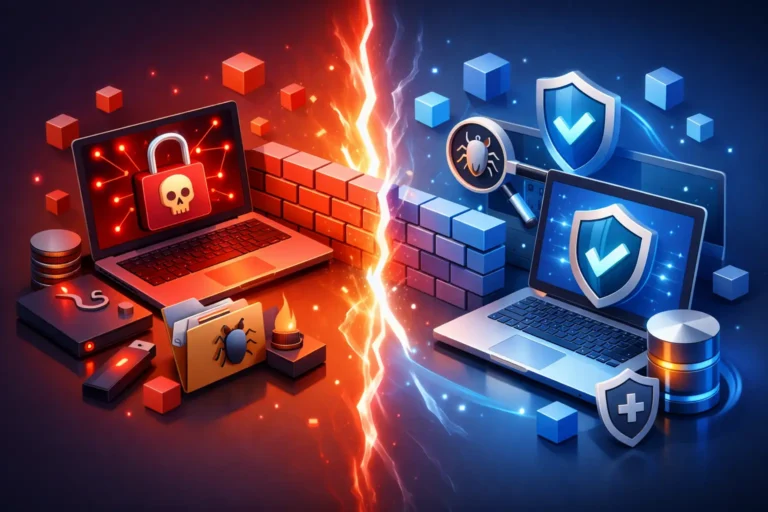
A staff member opens what looks like a routine invoice, and minutes later the files that keep a dental office, garage, or legal practice moving are unreadable. That is the business risk behind ransomware protection versus antivirus software. The two are related, but they are not interchangeable. Antivirus can be a valuable first line of defense. Ransomware protection is a broader strategy designed to keep an attack from becoming a business-stopping event.
For small and mid-sized organizations, the distinction matters because ransomware is not simply a virus that deletes a few files. It can encrypt shared drives, disrupt cloud accounts, steal sensitive information, and leave a team unable to serve clients. The right question is not whether to choose one tool over the other. It is whether your current protection can prevent, contain, and help you recover from a real attack.
Why the Comparison Can Be Misleading
Antivirus software and ransomware protection overlap, which is why they are often treated as the same thing. Both may scan files, flag suspicious programs, and block known threats. But traditional antivirus is primarily built to identify malicious software. Ransomware protection addresses a more specific and damaging outcome: unauthorized encryption or theft of business data, followed by extortion.
A basic antivirus program can catch many common threats, especially when it is current and properly configured. It may block a known malicious attachment or stop a suspicious download before it runs. That protection is useful, but ransomware operators do not rely on one method. They may use stolen passwords, remote access tools, unpatched software, deceptive email messages, or compromised vendor accounts to get inside.
Once an attacker has access, they may spend days or weeks moving through the network and identifying valuable data before launching encryption. By that point, a security tool that only looks for known malware may not see the full picture.
What Antivirus Software Does Well
Antivirus software remains a sensible security baseline for workstations and servers. It helps identify malicious files, scans downloads and attachments, and can prevent employees from accidentally running many common types of malware. Modern antivirus products often include real-time monitoring, web protection, and behavior-based detection as well.
For a small office, antivirus also provides visibility. If a computer is infected with an obvious virus, the software can isolate the file or alert an IT provider before the problem spreads further. This can prevent a minor incident from becoming a larger cleanup project.
The limitation is that no antivirus product can guarantee it will recognize every threat. Criminal groups regularly alter ransomware code, use legitimate administrative tools, and tailor attacks to avoid detection. A threat can also enter through a legitimate account rather than a malicious file. If an employee’s email password is compromised, antivirus alone cannot stop an attacker from signing in as that employee.
Antivirus should therefore be viewed as an essential component, not a complete cybersecurity plan. Like a lock on an office door, it provides meaningful protection, but it is not the only control needed to protect what is inside.
How Ransomware Protection Addresses the Bigger Risk
Ransomware protection focuses on preventing disruption and preserving recoverability. It usually combines security technology, backup practices, monitoring, access controls, and a clear response process. The goal is to reduce the chance of an attack succeeding and to limit the damage if one does get through.
A managed ransomware protection approach may monitor endpoint behavior for signs of mass file encryption, suspicious privilege changes, or unusual login activity. Rather than looking only for a known malicious file, these tools can identify behavior that does not match normal business activity. Fast detection matters. Stopping an infected computer early can keep an incident from reaching shared files, servers, and other workstations.
Reliable backup is equally important. A backup that is connected to the network at all times can be encrypted along with production data. Effective ransomware recovery planning includes protected backups, regular testing, and recovery procedures that are understood before an emergency occurs. It is not enough to see a backup job marked successful. Your business needs confidence that critical files and systems can actually be restored within an acceptable time.
Ransomware protection also recognizes that people and accounts are part of the security perimeter. Multi-factor authentication, password management, appropriate user permissions, and employee awareness can close common paths attackers use to gain access. These steps are practical for a professional office and often prevent incidents that security software alone cannot catch.
Ransomware Protection Versus Antivirus Software: Key Differences
The main difference is scope. Antivirus software is primarily an endpoint security tool. Ransomware protection is a business continuity and security strategy that includes endpoint protection but extends beyond it.
Antivirus is designed to detect and block malicious software on a device. Ransomware protection also considers how attackers get in, what data they could access, whether they can spread across the network, and how the organization will restore operations afterward.
Antivirus alerts may tell you that a threat was found. A ransomware protection program should help answer more urgent operational questions: Which systems are affected? Has the attacker accessed sensitive information? Are backups safe? Can the affected device be isolated? Who needs to be notified? How quickly can the business resume normal work?
This does not mean every business needs the most complex enterprise security platform. A five-person accounting firm has different needs from a construction company with mobile staff, shared project files, and remote access. The protection should match the systems you rely on, the information you handle, and the downtime your business can tolerate.
Building a Practical Layered Defense
For most businesses, the best approach starts with managed antivirus or endpoint protection and adds layers based on real risk. Keeping operating systems, applications, and network equipment updated removes many opportunities attackers exploit. Secure email filtering can reduce phishing messages before they reach employees, while multi-factor authentication makes a stolen password far less useful.
Backup design deserves special attention. Identify the data that would stop operations if lost, such as client records, financial documents, scheduling systems, project files, or line-of-business applications. Confirm how often it is backed up, where the backup is stored, how it is protected from unauthorized changes, and how long a restoration would take. A daily backup may be enough for one business and unacceptable for another that processes transactions throughout the day.
User access should also be reviewed. Employees need access to do their jobs, but they should not automatically have broad administrative control or permission to reach every shared folder. Limiting access reduces the amount of data exposed if an account is compromised. It also makes unusual activity easier to spot.
Finally, create a response plan that is simple enough to use under pressure. Staff should know whom to contact if they see a ransom message, unusual login prompt, or files that suddenly will not open. They should not try to fix the issue by rebooting repeatedly, deleting evidence, or continuing to work on the affected device. Prompt reporting gives technical support the best chance to isolate the problem.
Deciding What Your Business Needs First
If your company has no active antivirus protection, that is an immediate gap to address. If you already have antivirus but no tested backups, no multi-factor authentication, and no monitoring, the larger risk remains. A single security product cannot replace those controls.
Consider the cost of one business day without access to your systems. For a medical or dental practice, it could mean missed appointments and limited access to records. For a legal office, it could affect deadlines and confidential documents. For a garage or construction business, it may interrupt scheduling, estimates, invoicing, and communication with customers and suppliers. That downtime calculation helps put security spending in practical terms.
A hands-on IT partner can assess existing devices, user accounts, backups, and network access without forcing a one-size-fits-all package. The aim is to close the most meaningful gaps first, then maintain the protection so it does not fade as staff, software, and business needs change.
The most reassuring outcome is not simply seeing an antivirus icon on every computer. It is knowing that if a suspicious email slips through or an account is compromised, your business has layers of protection and a clear path back to work.
